

The two objectives are checked separately. A tracker who posts 25 updates an hour while a third of their loads sit red still fails a 25 percent unmanaged target. Work Action Needed to zero, not just the loads you happen to be on.
Passing Your Shift
Updated today
You pass a shift by meeting two targets your admin sets: enough updates per hour, and few enough loads sitting in an unmanaged exception. Both have to pass. Posting a lot of updates does not make up for red loads, and a clean board does not make up for an hour with no updates.
Your shift is only scored when your admin has turned on Shift Objectives for your Assignment Schedule. When they have, the shift performance widget appears in the top right of your boards and My Shift Scorecard appears in the navigation while you are on shift.
The two objectives
Once an hour, at about 57 minutes past, we take a snapshot of your work and update both numbers on your scorecard.
Updates per hour. The snapshot counts the updates you sent to your TMS from TrackFlo in the previous 60 minutes. Load updates, status and stop updates, driver info updates, and POD uploads each count once. Your shift's figure is the average of every hourly count, so a quiet hour pulls it down and the next hours have to make it up.
Unmanaged issue ratio. The snapshot counts your assigned loads that have an exception nobody has managed, divided by all your assigned loads. Your shift's figure is the average of the hourly ratios, shown as a percentage. Fully Compliant loads count toward your total, never as unmanaged.
While both numbers meet their targets, your shift reads Shift Objectives on Track. If either misses, it reads Shift Objectives at Risk. When the shift ends, the same two checks mark it Shift Objectives Met or Shift Objectives not Met.
How to pass, hour by hour
Start of shift: open My Assigned Loads > Active Loads, select the Action Needed tab, sort by Next Appt, and work it from the top. Solve each load with a Load Update, or use Manage Issue with a follow-up time when you have done what you can.
Every hour: keep updates flowing. "Driver confirmed on schedule" is an update, and so is No Response when nobody picked up.
Before :57: check Action Needed again. New exceptions fire, managed loads come back when their follow-up time runs out, and new loads get assigned to you mid-shift. Whatever is unmanaged when the snapshot runs counts against you for that hour.
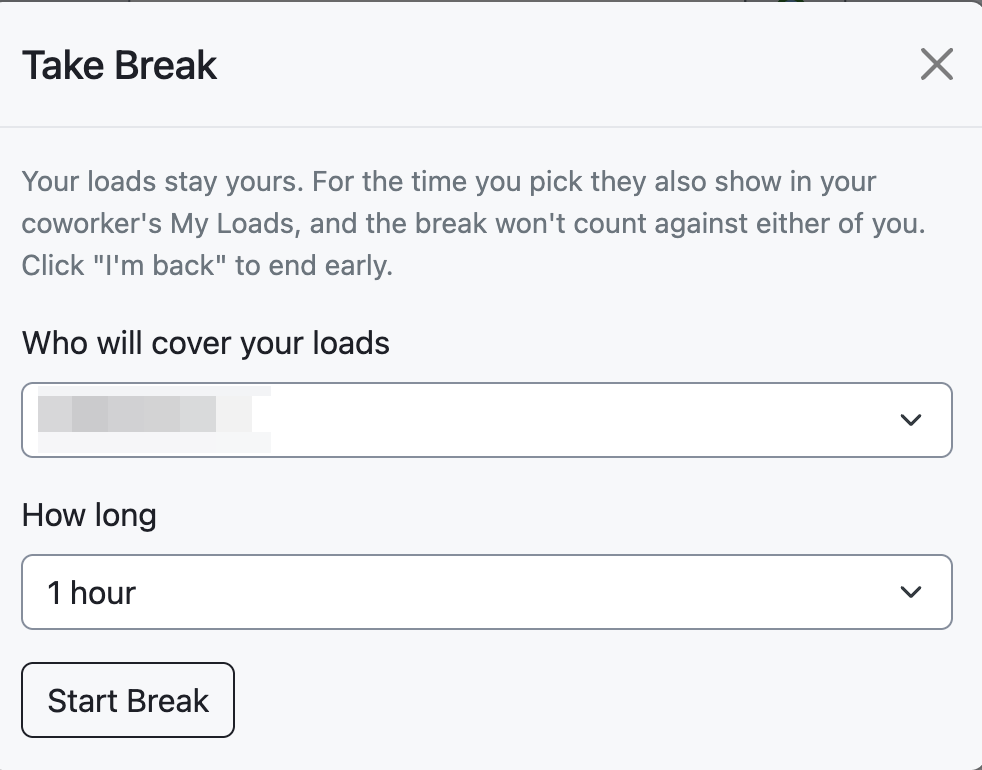
Before a break: select Take Break and pick a coworker to cover. An hour where you spent 15 minutes or more on break is left out of both averages.
End of shift: set realistic follow-up times on anything you managed, so the next tracker is not handed loads that turn red the minute you leave.
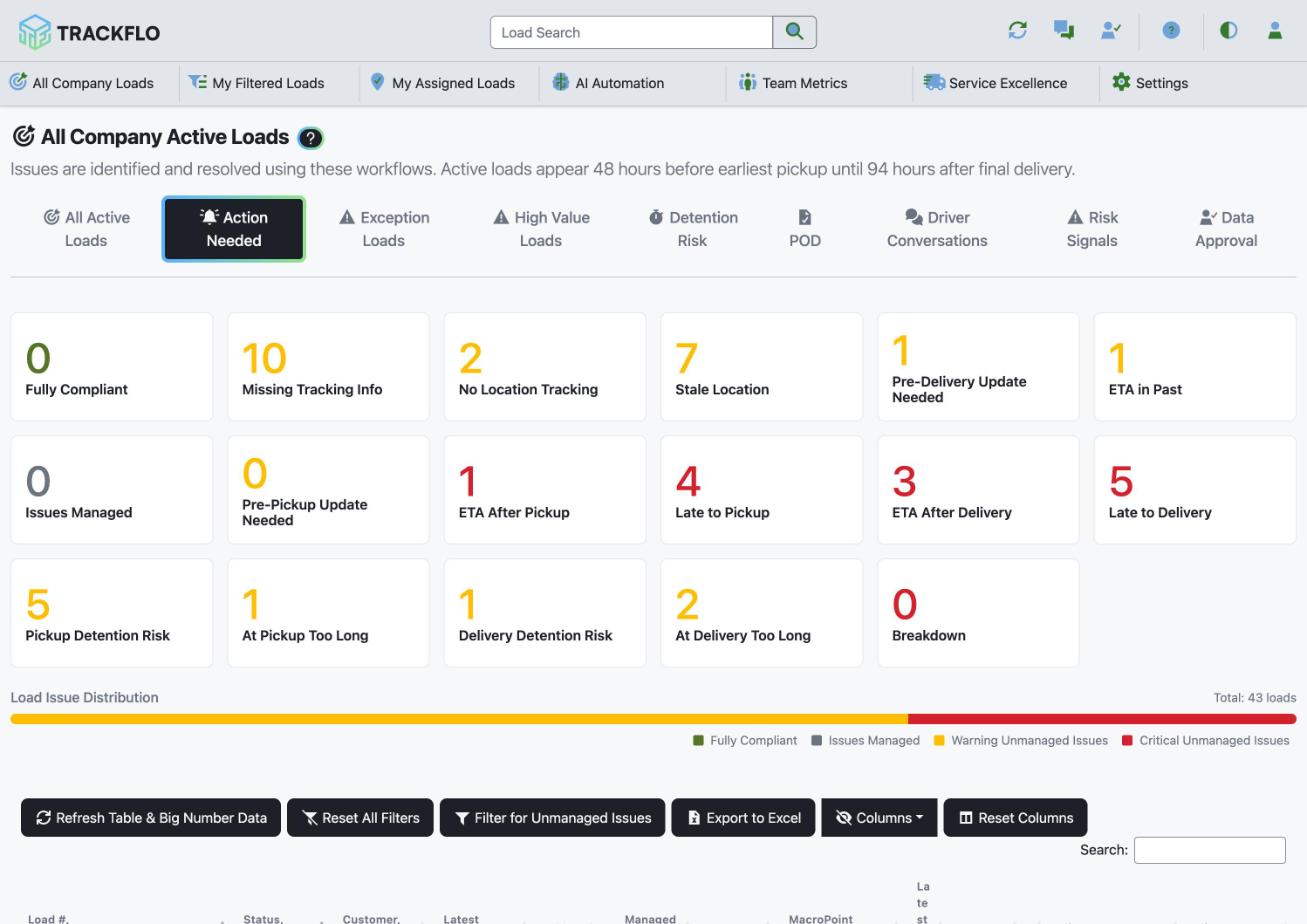
Your final result is decided by the last snapshot before your shift ends. If your shift ends at 5:00, the 4:57 snapshot is the one that counts, so get Action Needed to zero before then.
Check how you are doing
The shift performance widget shows your updates per hour and unmanaged issue percentage, each in green when it meets its target and red when it doesn't.
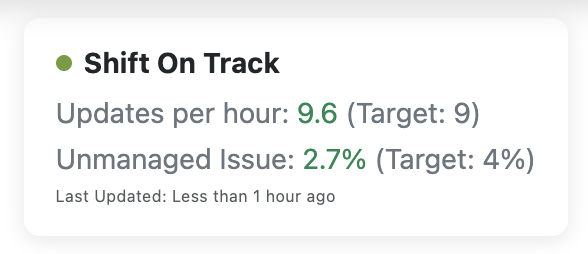
Select the widget, or My Shift Scorecard, to open your scorecard. The Hourly Metrics tab shows each snapshot, so you can see which hour hurt you.
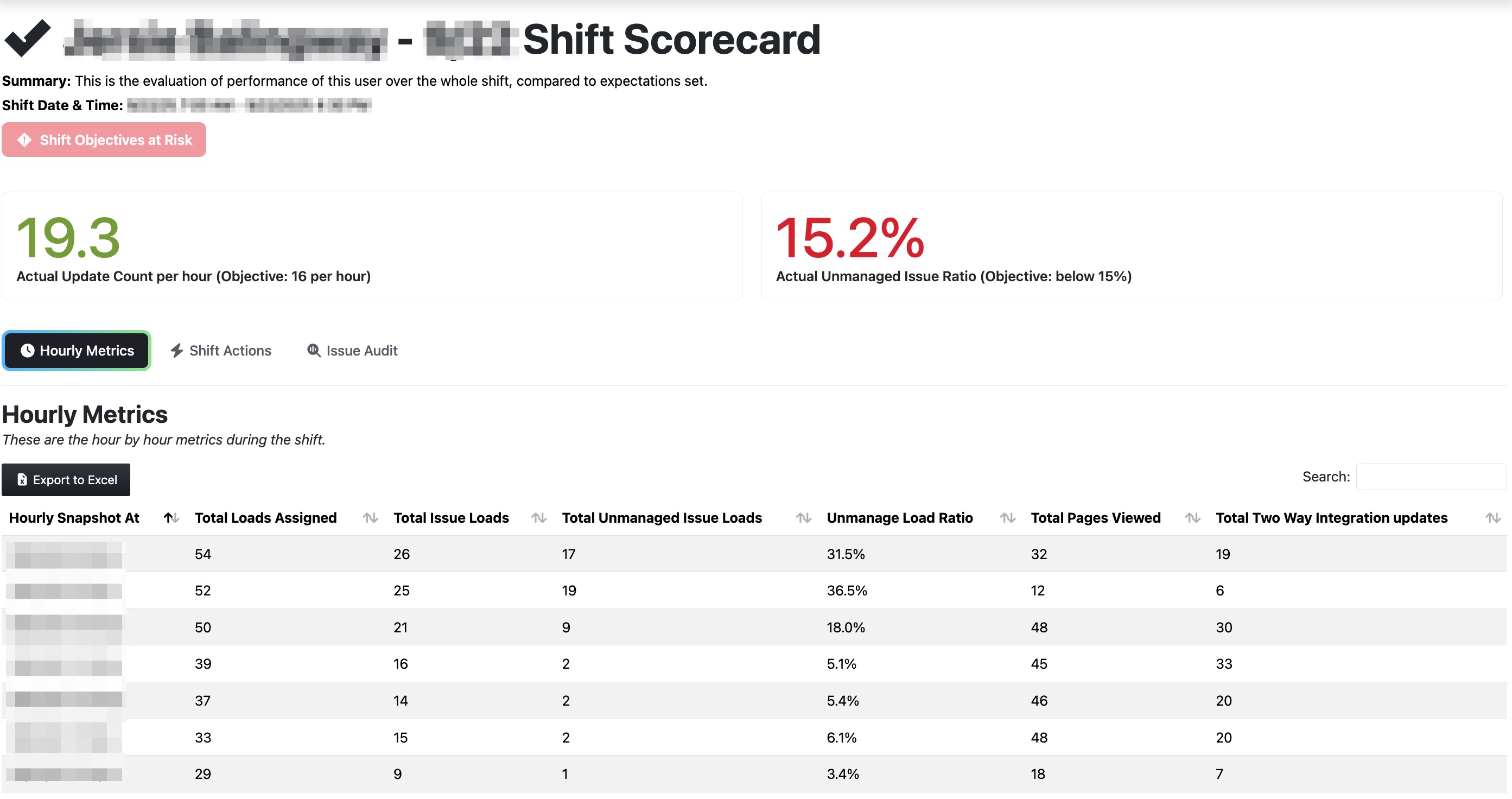
The numbers only change after a snapshot. Work you do now shows up at the next one, around 57 minutes past the hour.
Why a shift fails
I posted lots of updates and still failed
My updates per hour are lower than the work I did
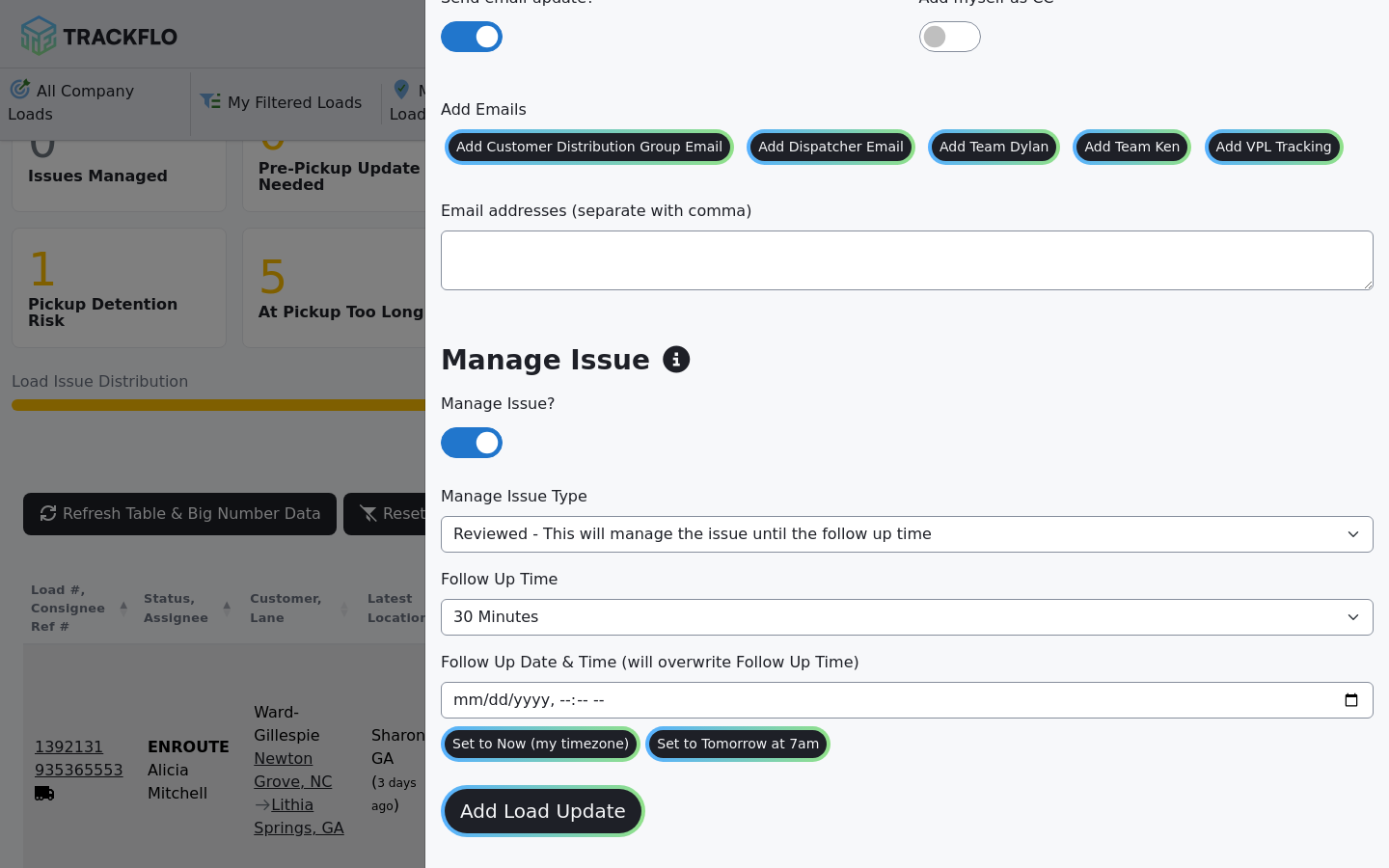
Updates typed straight into your TMS do not count. Only updates entered in TrackFlo are sent to your TMS and credited to you. Managing an issue on its own is not an update either; it keeps the load gray but adds nothing to your update count.
My lunch hour dragged my numbers down
A break only comes out of your averages when you start it with Take Break. If you stepped away without it, that hour is scored like any other. Take a break and have a coworker cover your loads shows how.
I don't see a shift scorecard at all
You are either not on an active shift, or your schedule does not have Shift Objectives turned on. Ask your admin. Why a tracker's scorecard looks empty or low covers the other causes.
Learn more
Getting started as a Tracking User: your first days and the daily routine.
Shift Objectives for Trackers: the widget, the scorecard, and your Tracker Note.
How shift scorecards work: the scoring in full detail.
Exception reference: what clears each exception.
Was this helpful?
Was this helpful?