

Finding Exceptions in Big Numbers
Finding Exceptions
Exceptions are issues that arise on a load. Your company’s priority issues can be found on the Active Loads page.
Each company’s exceptions are uniquely configured: For example, your company may want to know about a stale location after 6 hours, while another may not want to be notified until a location is stale for 12 hours. To learn about how your company defines each exception, check the descriptions under each Big Number.
Active Loads Page
A Tracking User’s goal is to eliminate all of the exceptions on their active loads, and TrackFlo’s Active Loads page is where you can get this work done. The Active Loads page is the first page you see when you log into TrackFlo, and it’s where the majority of your tracking activities take place. A Tracking User’s goal is to Zero Out their Load Board - or get all those Big Numbers down to 0!
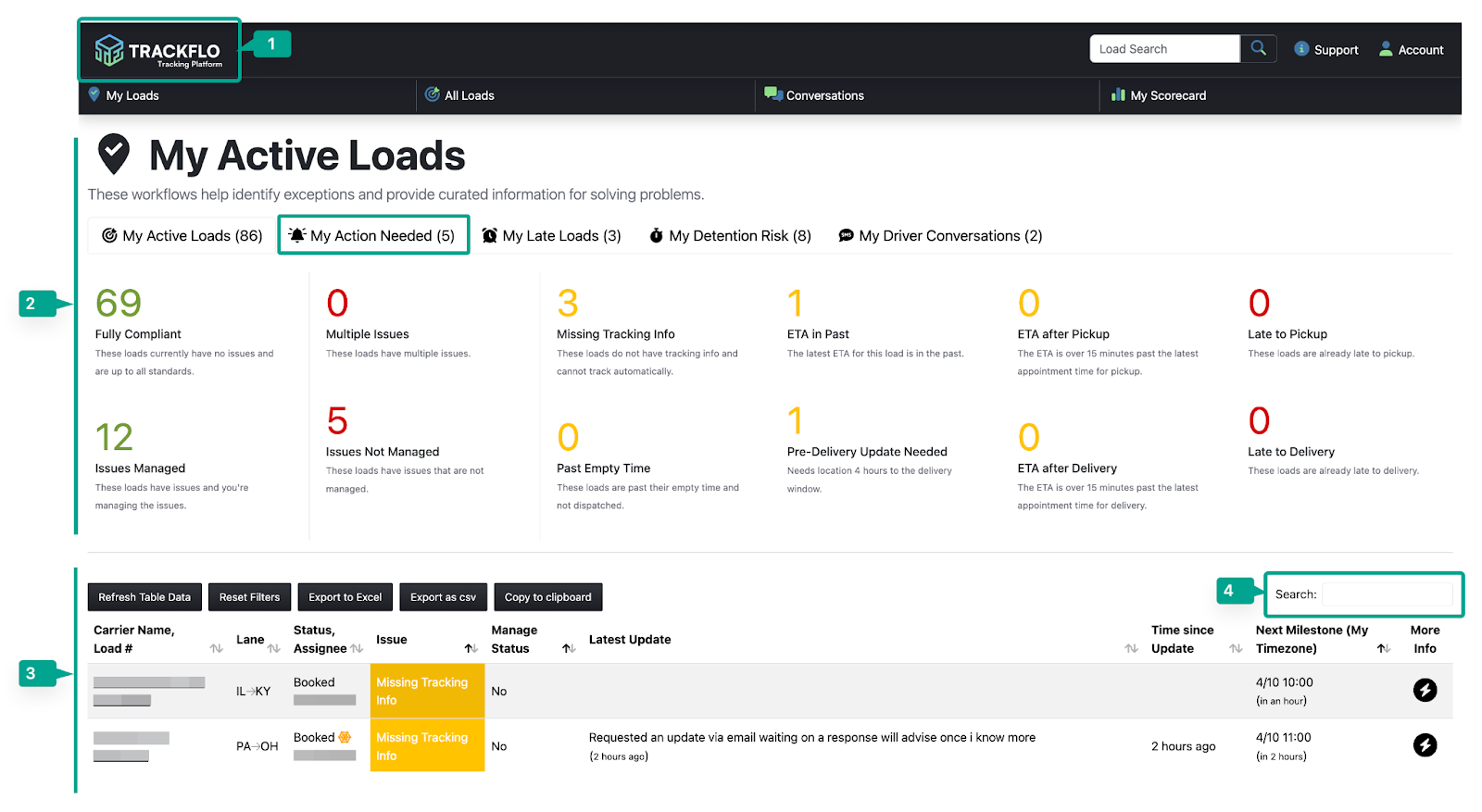
TrackFlo Logo: You can always navigate back to the Active Loads page quickly by clicking the TrackFlo logo in the top left corner of the screen.
The Active Loads page is split into two pieces:
Big Numbers: This section is a summary of the status of your active loads. You can further filter this board by clicking on different tabs. For example, clicking the My Action Needed tab will show you only the loads that require your attention at this time. NOTE: Each Big Number is associated with an exception, or issue that needs your attention. For more information about exceptions, please see “What are Exceptions?” below.
Load Table: The load table houses details about all of your active loads. Clicking a Big Number filters the load table to view only loads with a certain exception.
Search the table to filter further. You can search for any information in the load line: Carrier name, load number, lane origin/destination, status, assignee, issue, or update content.