

The work happened in the TMS or by phone. Both leave no trail in TrackFlo; the habits above close the gap going forward.
Keep a Full Audit Trail on Every Load
Updated today
Answer any dispute, claim, or legal question about a load from the load page in one sitting: every update, message, stop time, owner change, and TMS response, timestamped and attributed to a person or a system. Teams ask for "a full audit trail on every load" and for the end of "whoever screams loudest gets the attention." The trail builds itself as long as the work happens in TrackFlo; this recipe covers where each record lives and the habits that keep it complete.
What you need
Trackers updating loads in TrackFlo rather than straight in the TMS.
Outreach rules on, if you want driver and carrier conversations captured word for word.
Set it up
1
Update in TrackFlo, not in the TMS
An update typed straight into the TMS has no history in TrackFlo and no conversation behind it. One entered here has both, and still reaches your TMS.
2
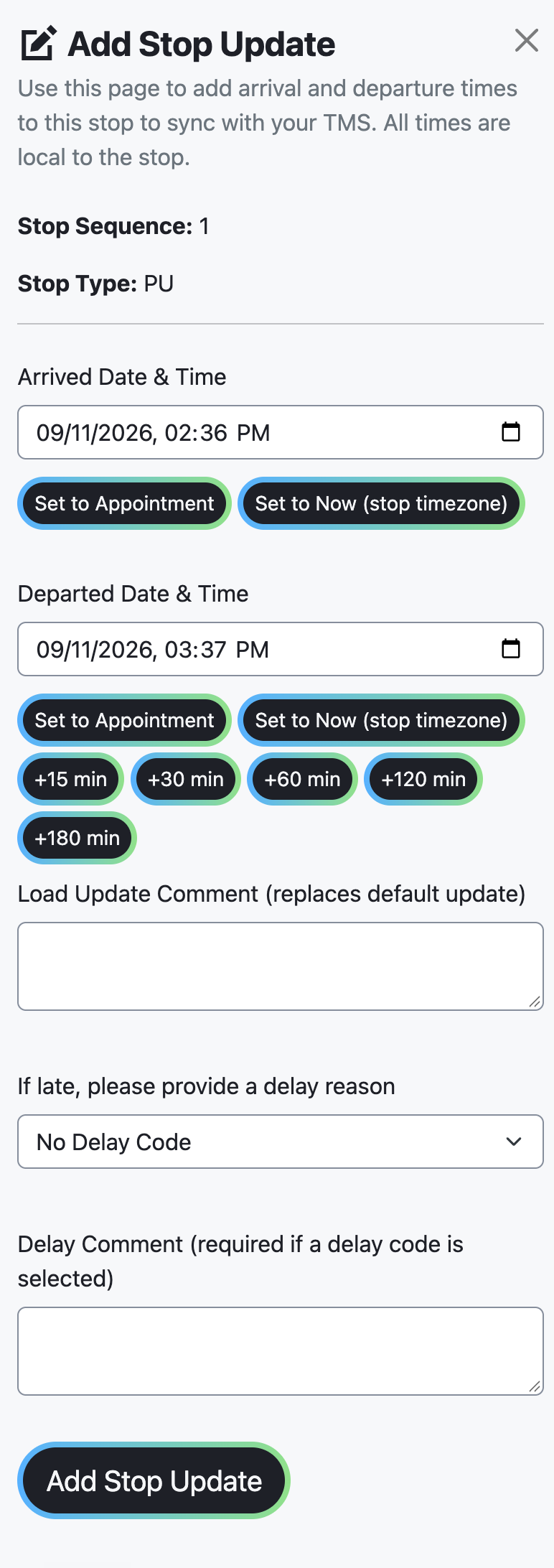
Record stop times as stop updates
A comment is a note; a stop update is a timestamped arrival or departure that also reaches the TMS and backs any detention or on-time claim.
3
Email carriers from the load
Use Carrier Email Conversation and Send Carrier Email on the load page, so what was said to the carrier, and when, sits next to what the driver said.
4
Let outreach do the asking
A driver's text reply is captured verbatim on the load. A phone call a tracker made from their desk is captured only as well as they summarised it.
5
Manage, don't delete
Managing an issue keeps the exception in Issue History with the follow-up decision, so the load's story stays intact.
Where each record lives
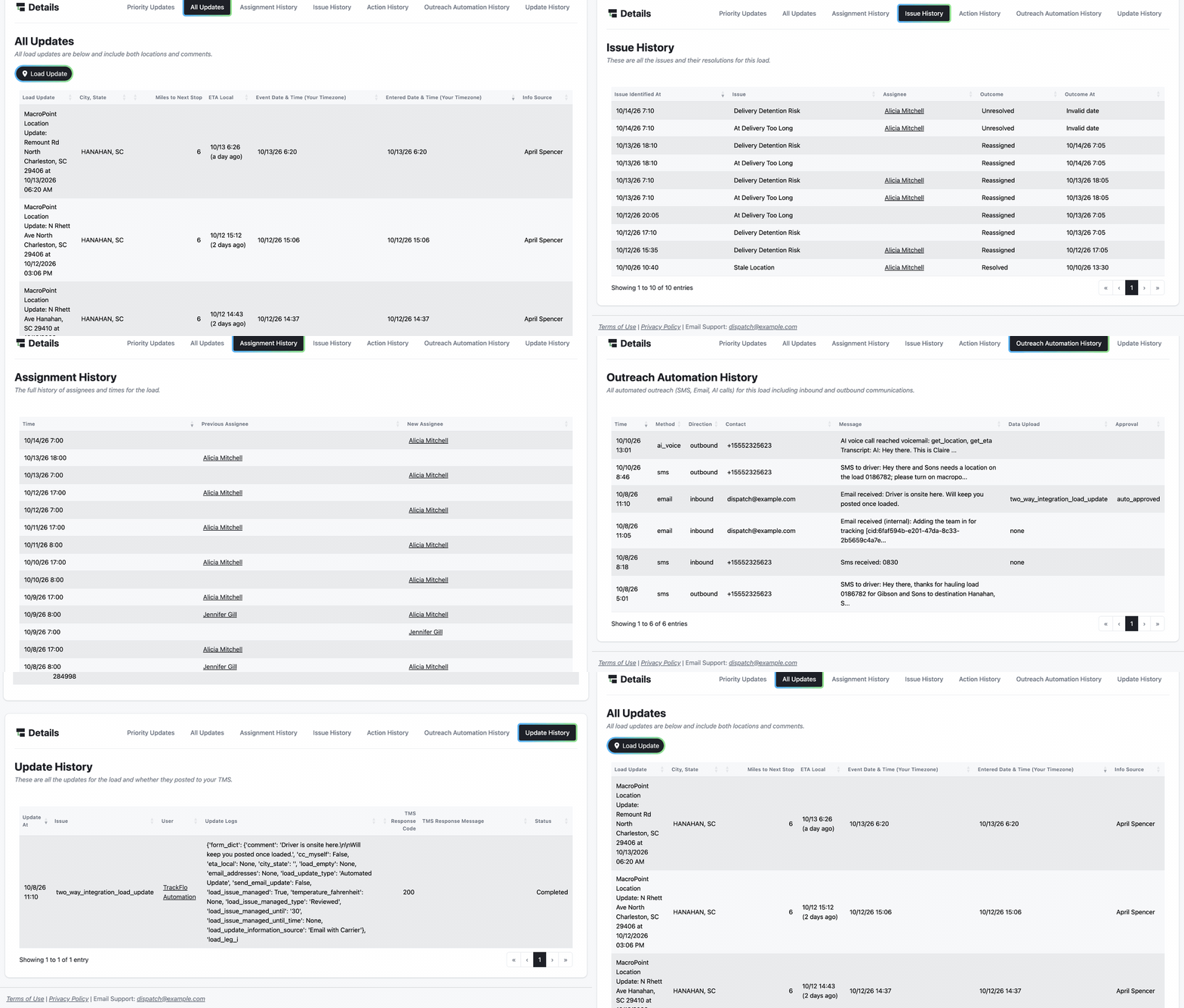
Everything is in the history tabs at the bottom of the load page:
Update History: every update sent to the TMS, with the user, the time, and the TMS's response.
All Updates: the location and event timeline, including tracking pings and TMS status changes, with the source of each.
Issue History: each exception, when it was identified, who owned the load, and how it was resolved or managed.
Assignment History and Action History: who owned the load and when ownership moved, and what people did on it.
Outreach Automation History: every automated SMS, email, and AI voice call, with the reply and whether extracted data was approved.
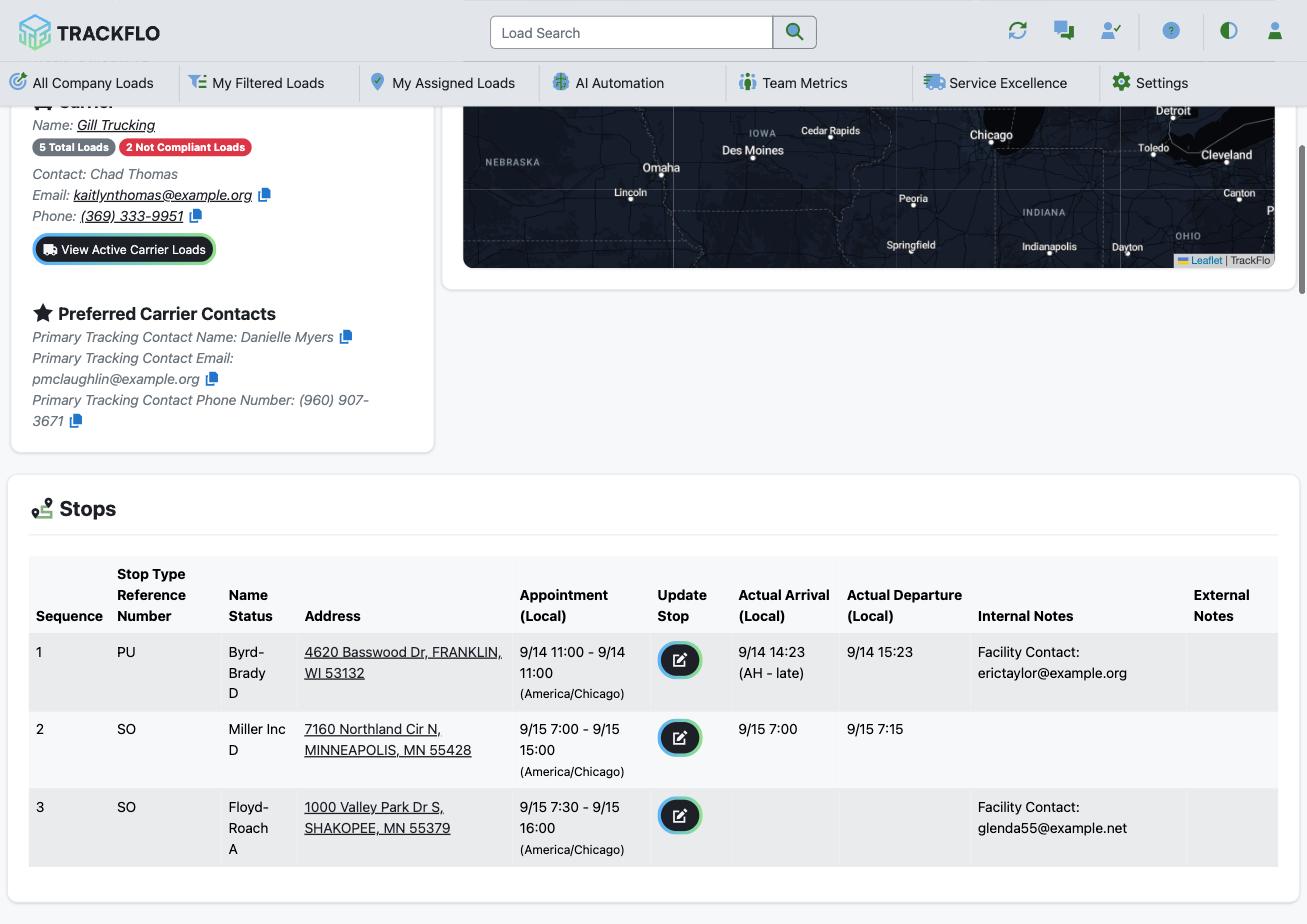
The Stops table holds arrival and departure times, and the Docs tab holds the POD with who uploaded it and when.
When it doesn't go to plan
A load's history has gaps
We need a POD from more than a year ago
POD files are kept for 12 months from upload, while the rest of the load's history stays with the load. Your TMS keeps its own copy for older loads.
We need a snapshot for a file
Export any board table to Excel, or schedule the Loads Export report for a standing record.
Measure it
A dispute is answered from the load page in one sitting: stop times, the driver's message, the tracker's update, and the TMS's acceptance, all timestamped.
Every billed detention load shows arrival and departure in the Stops table and a conversation or update inside the dwell window.
Performance conversations cite Issue History and shift scorecards rather than who complained.
Related recipes
Recover Detention and Accessorial Dollars
Catch dwell while it happens, record times that hold up, and find the dollars you never billed.
Read recipeHold the Tracking Team Accountable with Real KPIs
Schedules that own the work, objectives that score it, and a five-minute weekly review.
Read recipeProduct docs
Customers can sign in to open the full guides:
Was this helpful?
Was this helpful?