

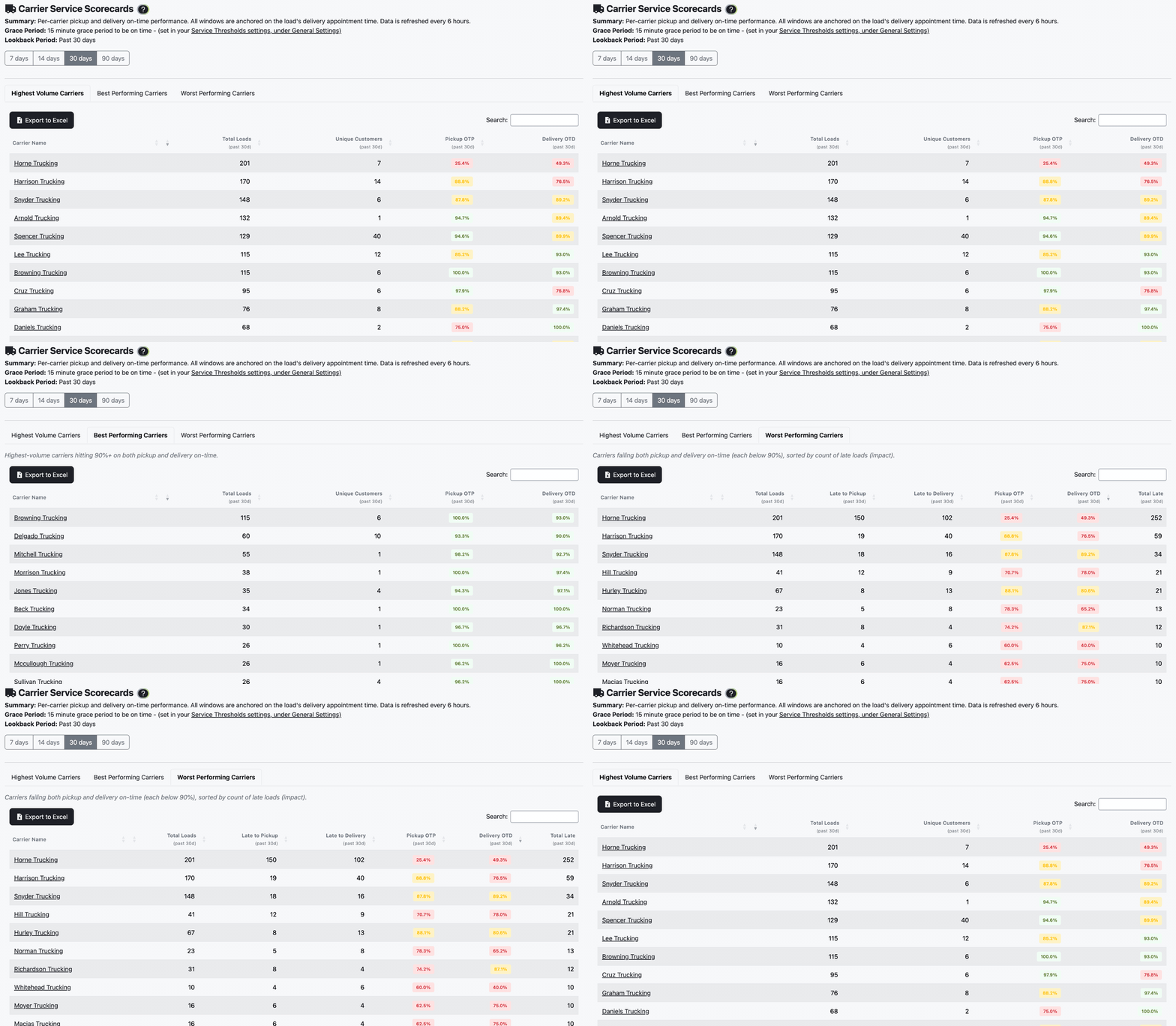
Best means 90% or better on both pickup and delivery, and worst means under 90% on both. A carrier strong on one and weak on the other appears on neither; find them on the highest volume tab.
Score Carriers and Customers on On-Time Performance
Updated today
See on-time pickup and delivery for every carrier and customer over the last 7, 14, 30, or 90 days, drill into the loads behind the number, and email the scorecard to your team on a schedule. Prospects ask us "how were they on rates and how are they actually on their service?" and, about a late delivery, "if he doesn't deliver on time, why?" Scorecards answer both from the tracking you already do, so carrier reviews and customer QBRs start from the same numbers.
What you need
The Admin role for the Customer Scorecards and Carrier Scorecards pages and the grace period setting. Tracking Users and Internal Users can open a single customer's or carrier's scorecard.
Arrival times recorded on your stops. A stop counts only when it has both an appointment and an arrival time.
Set it up
1
Set your grace period
In Settings > General Settings, set Late Arrival Threshold to the grace period in your contracts; the default is 15 minutes. A stop is on time when the truck arrives by the end of the appointment window plus this grace period.
2
Open the scorecards
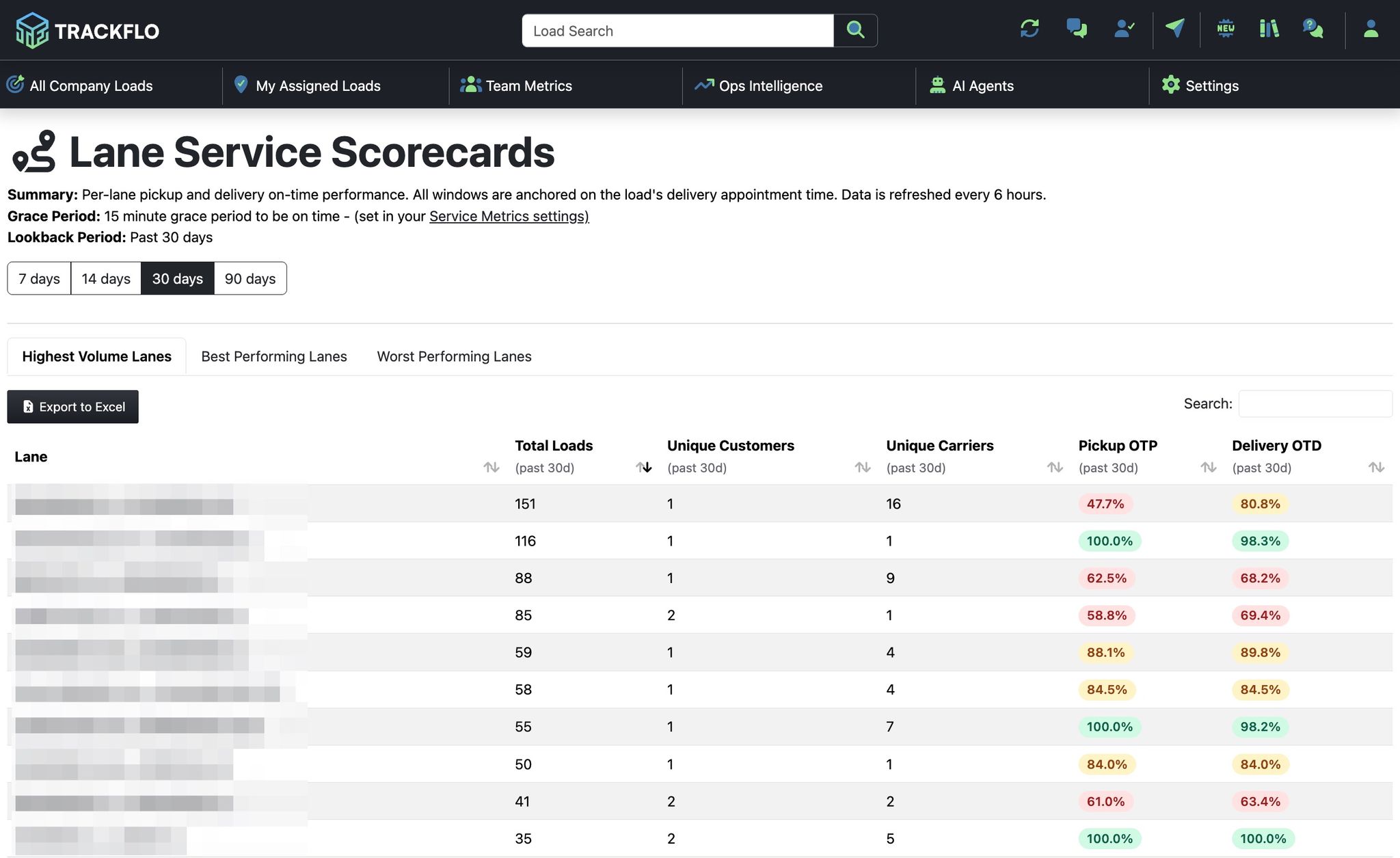
Under Service Excellence, open Carrier Scorecards or Customer Scorecards and pick 7 days, 14 days, 30 days (the default), or 90 days. The tabs split the list into highest volume, best performing (90% or better on both pickup and delivery), and worst performing.
3
Drill into one carrier or customer
Select a name to open its scorecard with the late loads behind the percentage. For a customer, the deep dive shows their problem carriers, lanes, and facility dwell, which is where a QBR conversation starts. Use Export to Excel on any table.
4
Email it on a schedule
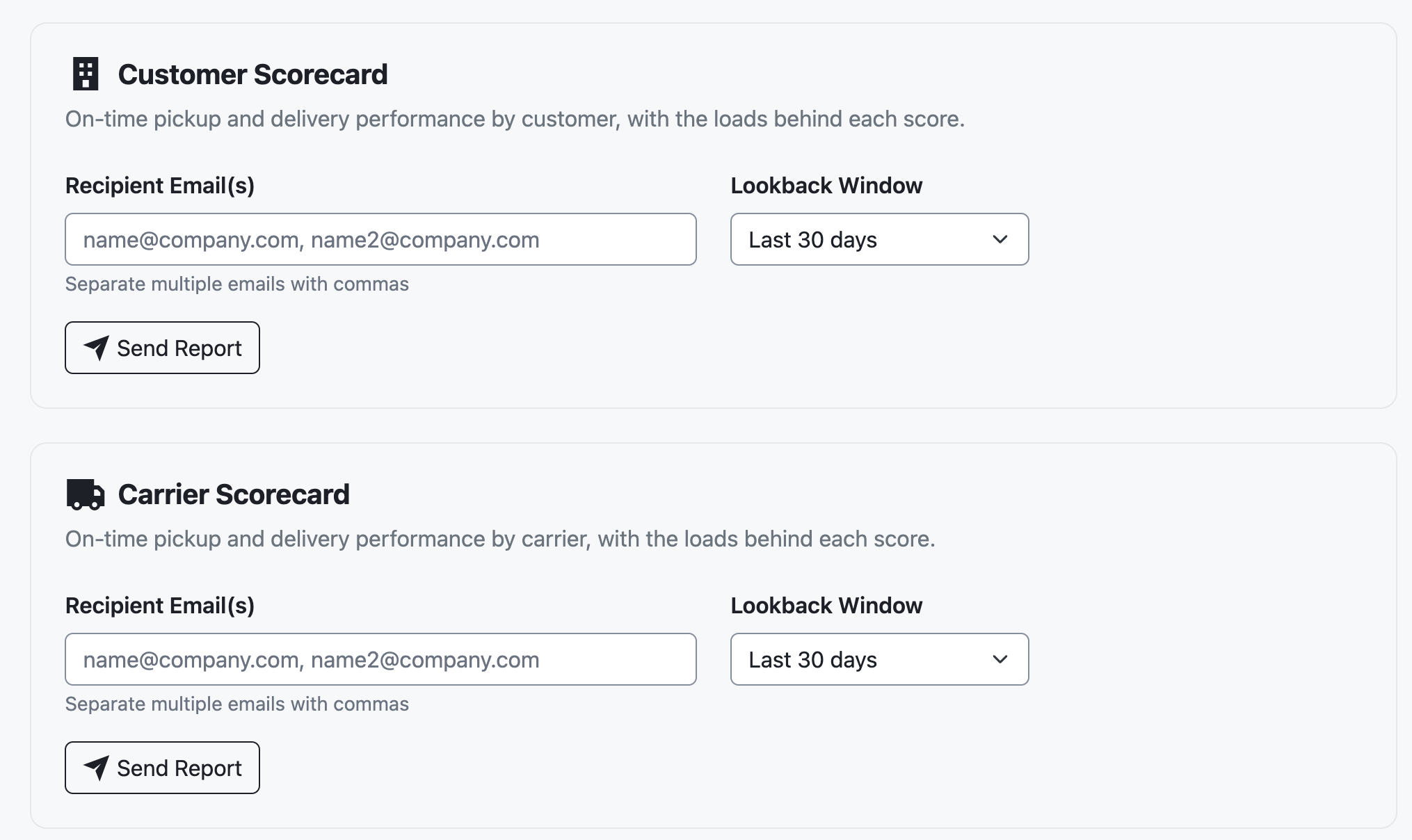
On Scheduled Reports, add a schedule with Report Type set to Carrier Scorecard or Customer Scorecard and a Lookback Window of the last 7, 14, 30, or 90 days. The workbook has All Carriers or All Customers, Best Performers, Needs Attention, and every load in the window with its appointment, arrival, and minutes late.
When it doesn't go to plan
A carrier is on neither the best nor the worst list
A load we know was late is missing
Only completed loads with an appointment and an arrival time at both stops count. Record arrivals as stop updates so they reach the scorecard.
A stop shows minutes late but counts as on time
Minutes late is measured from the end of the appointment window, and the grace period then decides on time. A stop 10 minutes late with a 15-minute grace period is on time.
Today's loads aren't on the scorecard yet
Scorecard data refreshes every 6 hours, and history goes back three months.
Measure it
Carrier reviews cite on-time pickup and delivery from the scorecard instead of anecdotes, and the worst performing list shrinks quarter over quarter.
Customer QBRs open with the customer's scorecard, exported to Excel, and the Load Detail tab answers "why was this one late?" in the meeting.
Related recipes
Recover Detention and Accessorial Dollars
Catch dwell while it happens, record times that hold up, and find the dollars you never billed.
Read recipeAnswer "Where's My Freight" Before the Customer Asks
Public load pages, exception alerts, and reports that put the answer in front of the customer first.
Read recipeProduct docs
Customers can sign in to open the full guides:
Was this helpful?
Was this helpful?