

They're updating in the TMS instead of TrackFlo, or their schedule doesn't have Shift Objective On.
Hold the Tracking Team Accountable with Real KPIs
Updated today
Give every load an owner, score every shift against targets, and run a five-minute weekly review from numbers instead of complaints. Leaders tell us "we've never been able to quantify and provide a KPI to those people," that "it's hard to know who's doing it on a week-to-week basis," and that performance is judged by "how many complaints we get from our account reps." This recipe sets up schedules that own the work, objectives that score it, and the reports that carry the review.
What you need
The Admin role.
Assignment Mode set to Schedule-Based in Company Settings.
A week of trackers working in TrackFlo before you start scoring them.
Set it up
1
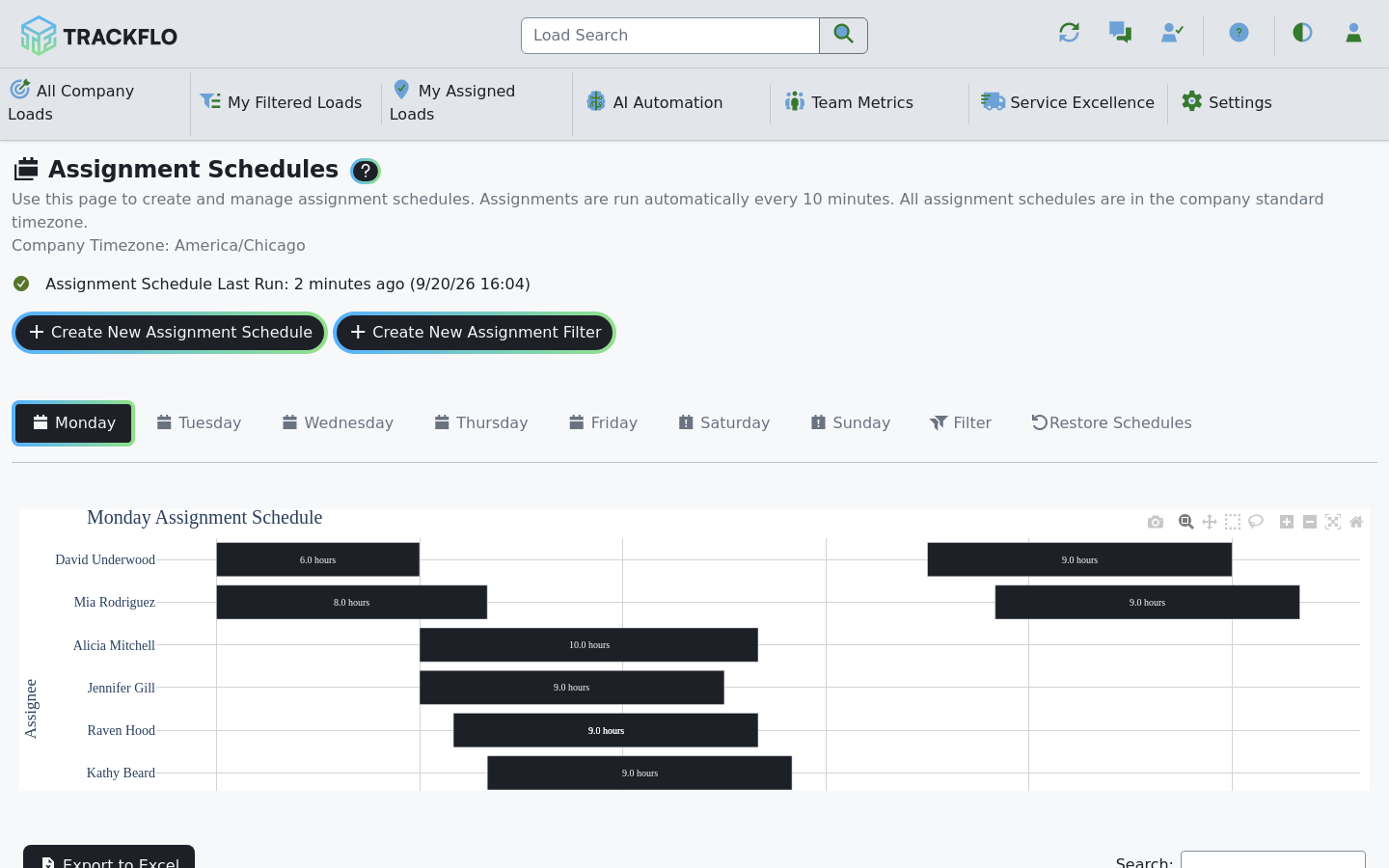
Give every load an owner
Put each tracker on an Assignment Schedule. The engine runs every two minutes, keeps a carrier's loads with the tracker who already holds them, and rebalances whenever one tracker is more than four loads ahead of another. Where trackers own customers or a pickup versus delivery split, add an assignment filter to their schedule.
2
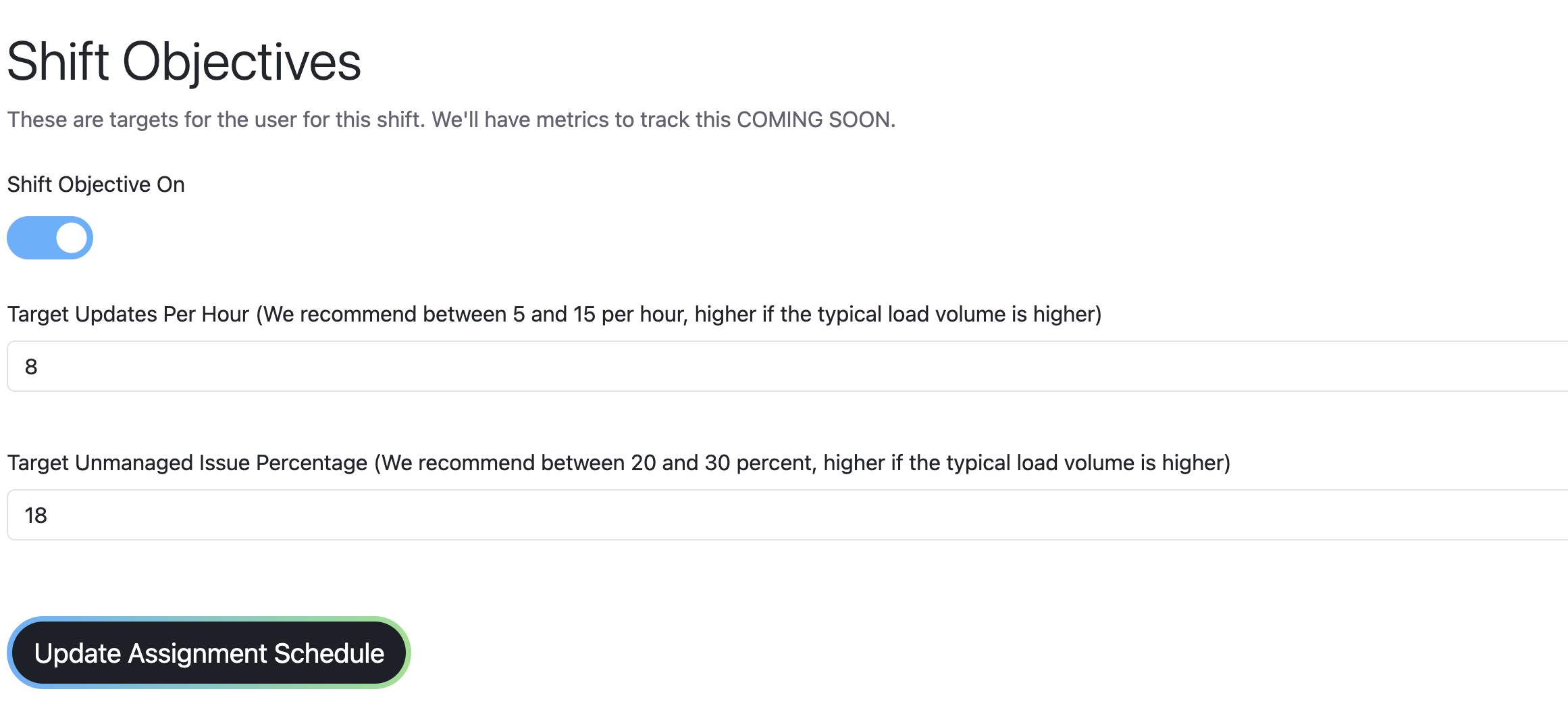
Set shift objectives
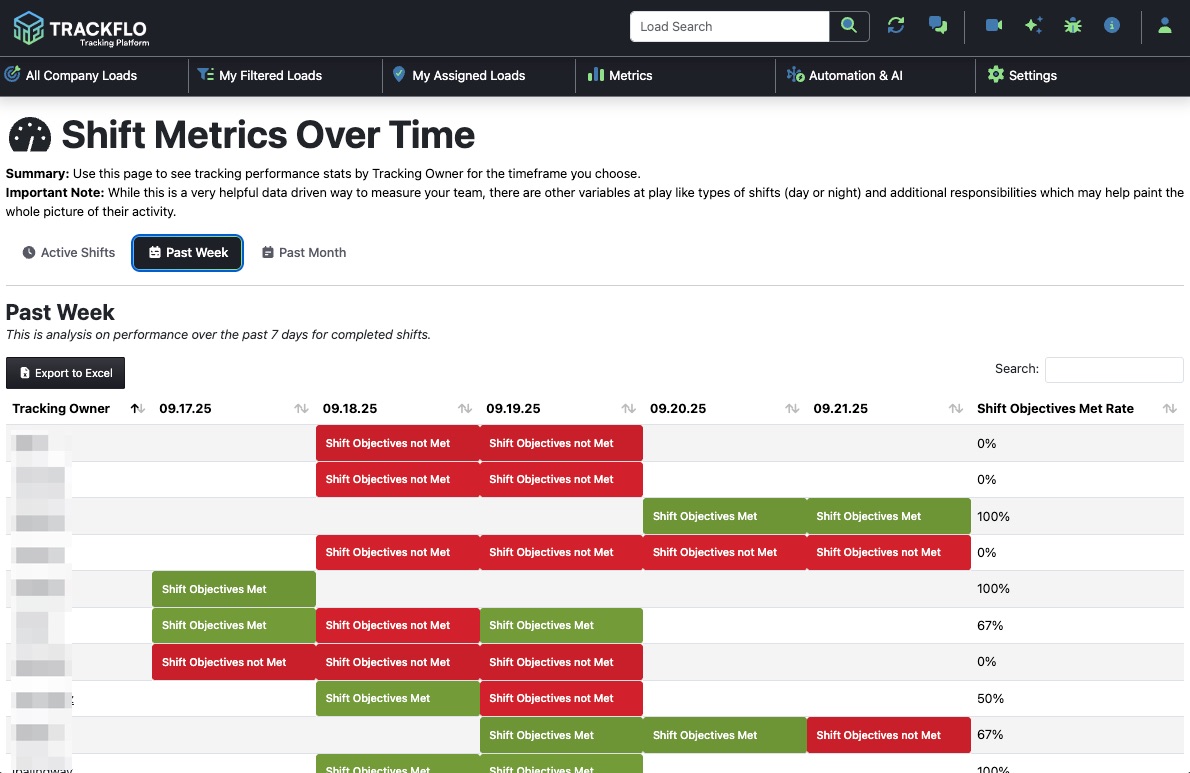
Turn on Shift Objective On for each schedule and set Target Updates Per Hour (we recommend 5 to 15) and Target Unmanaged Issue Percentage (20 to 30). Each shift then gets a scorecard showing on Track or at Risk hourly while it runs, marked Shift Objectives Met or not Met when it closes.
3
Run the weekly review
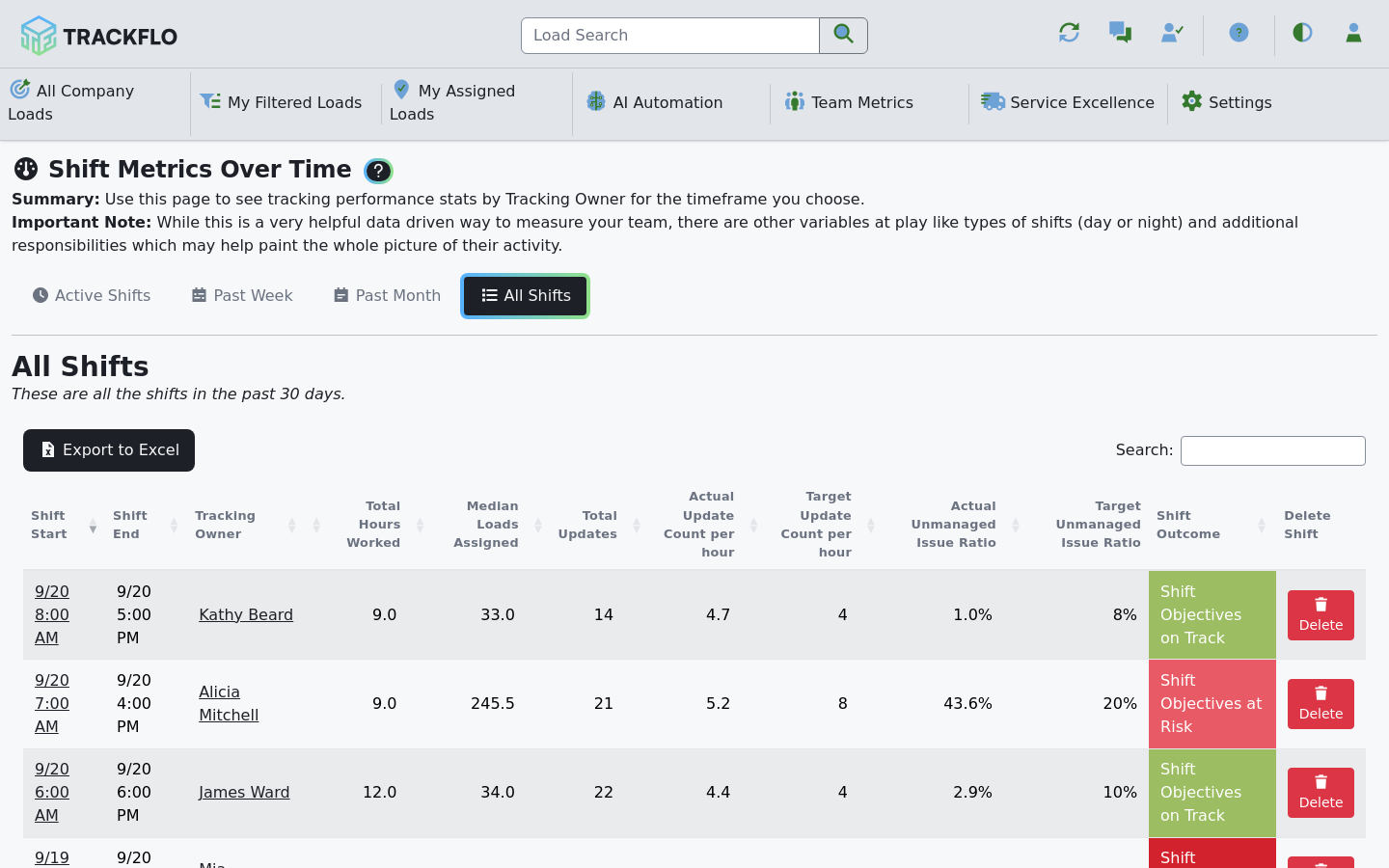
Under Team Metrics, work three pages in order:
Shift Metrics Over Time: the Past Week tab shows each tracker's shift results by date. Start with the shifts marked not Met, then use All Shifts for hours, median loads, and actual versus target.
Team Performance Ranking: individual activity over time, to separate a bad week from a pattern.
Tracking Workload Management: whether the people missing target were carrying more than their share.
4
Have the review delivered
Schedule the Shift Metrics & Adoption report (weekly on Monday by default) so the past week and month arrive by email whether or not anyone opens the page.
Only work done in TrackFlo is scored. A tracker who updates in your TMS out of habit looks idle here no matter how hard they worked. When a whole team fails a month of shifts, check this before you check the people.
When it doesn't go to plan
A tracker's scorecard looks empty or low
A trainee's numbers never appear in the ranking
Exclude User from Performance Metrics? is still on. Turn it off once ramp-up ends.
A target change didn't apply
The running shift keeps the targets it started with; later shifts pick up the change.
One tracker is always above or below the spread
A tracker consistently well below balance is being protected; one consistently above is being leaned on. Check their filters on Assignment Schedules.
Measure it
Shift pass rate climbs from the first scored week and levels off above 80 percent; the remaining misses have a story, not a pattern.
Actual Update Count per hour sits inside the target band. Well above usually means logging noise to hit a number; well below with a clean board means the target is too high for the volume.
Nobody redistributes loads by hand, and Assignment Schedules shows a recent run.
Related recipes
Hand Off Loads Automatically at Shift Change
Schedules move loads to whoever is on shift, every two minutes.
Read recipeCover Lunch Breaks Without Dropping Loads
A coworker sees your loads until you're back, and the break isn't held against your score.
Read recipeProduct docs
Customers can sign in to open the full guides:
Was this helpful?
Was this helpful?