

The thresholds are still on their defaults, or too many exceptions are switched on. A board that is all red teaches trackers to ignore red. Loosen thresholds on high-volume freight and switch off exceptions nobody works.
Work Exceptions Instead of Making Check Calls
Updated today
Let automation collect the routine updates, let service levels decide what counts as a problem, and have trackers work only the loads that crossed a threshold. One brokerage put the goal as "we're not here to touch everything, we're here to identify the exceptions and communicate early." Another measured ops reps spending 80 percent of their time on check calls, portals, and paperwork and wanted that closer to 60. This recipe wires up the pieces in the order that gets you there.
What you need
An Admin to turn on outreach rules and tune service levels.
Outreach Rules Enabled? ticked on the Outreach Settings tab of Company Settings.
Trackers working from the Active Loads board.
Set it up
1
Turn on one collection rule
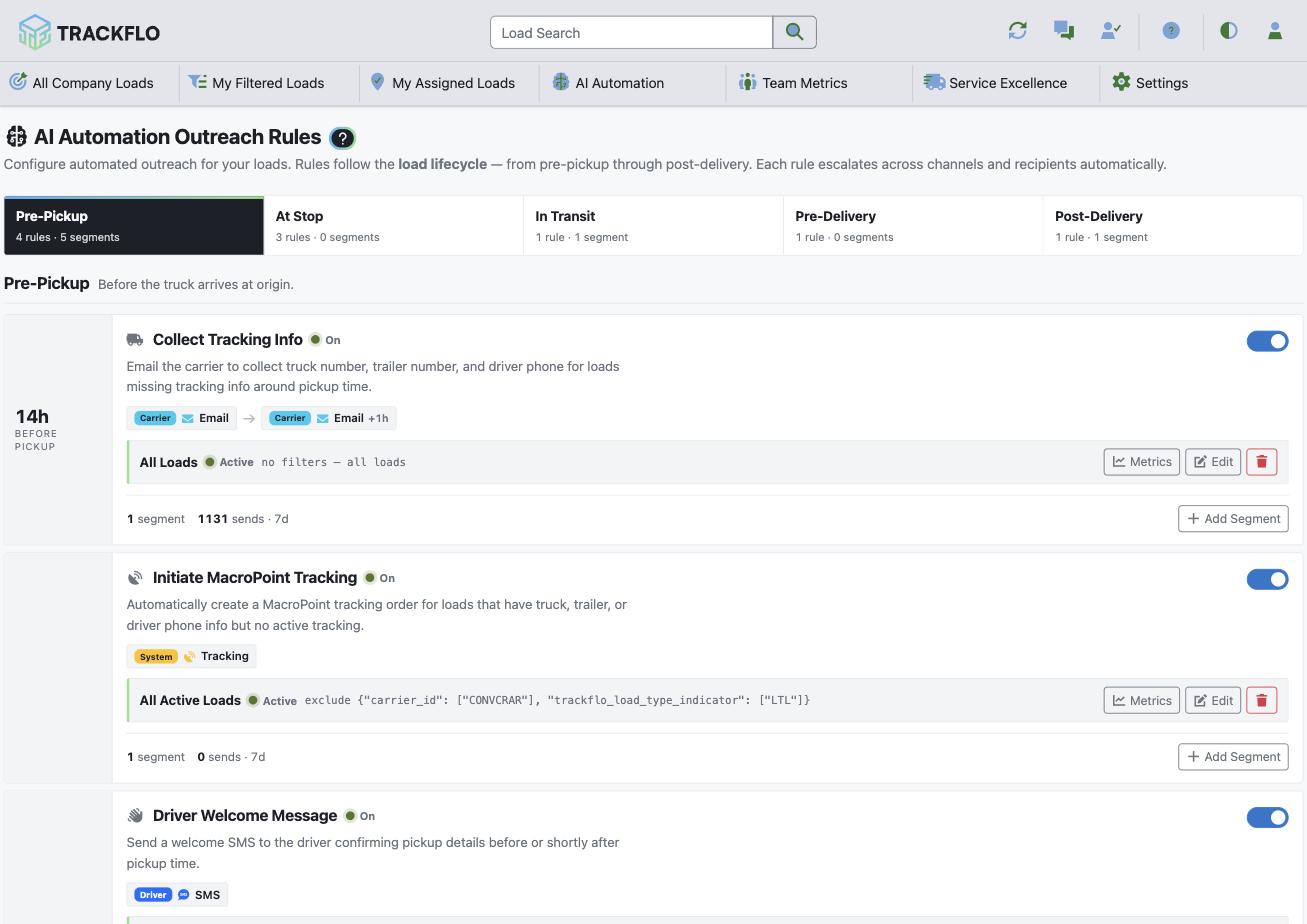
Start with one rule and let trackers see the replies land as load updates for a week before adding the next. Collect Tracking Info emails the carrier for tracking from 4 hours before pickup to 24 hours after; Pre-Pickup Update confirms the driver 2 hours before pickup; Stale Location Check chases a location when none has arrived for 4 hours. Pre-Pickup Update and Stale Location Check escalate from SMS to AI voice to email. Each rule stops as soon as its objective is met. Set quiet hours on every segment on day one; a 3 a.m. text is the fastest way to lose a carrier.
2
Tune service levels so red means red
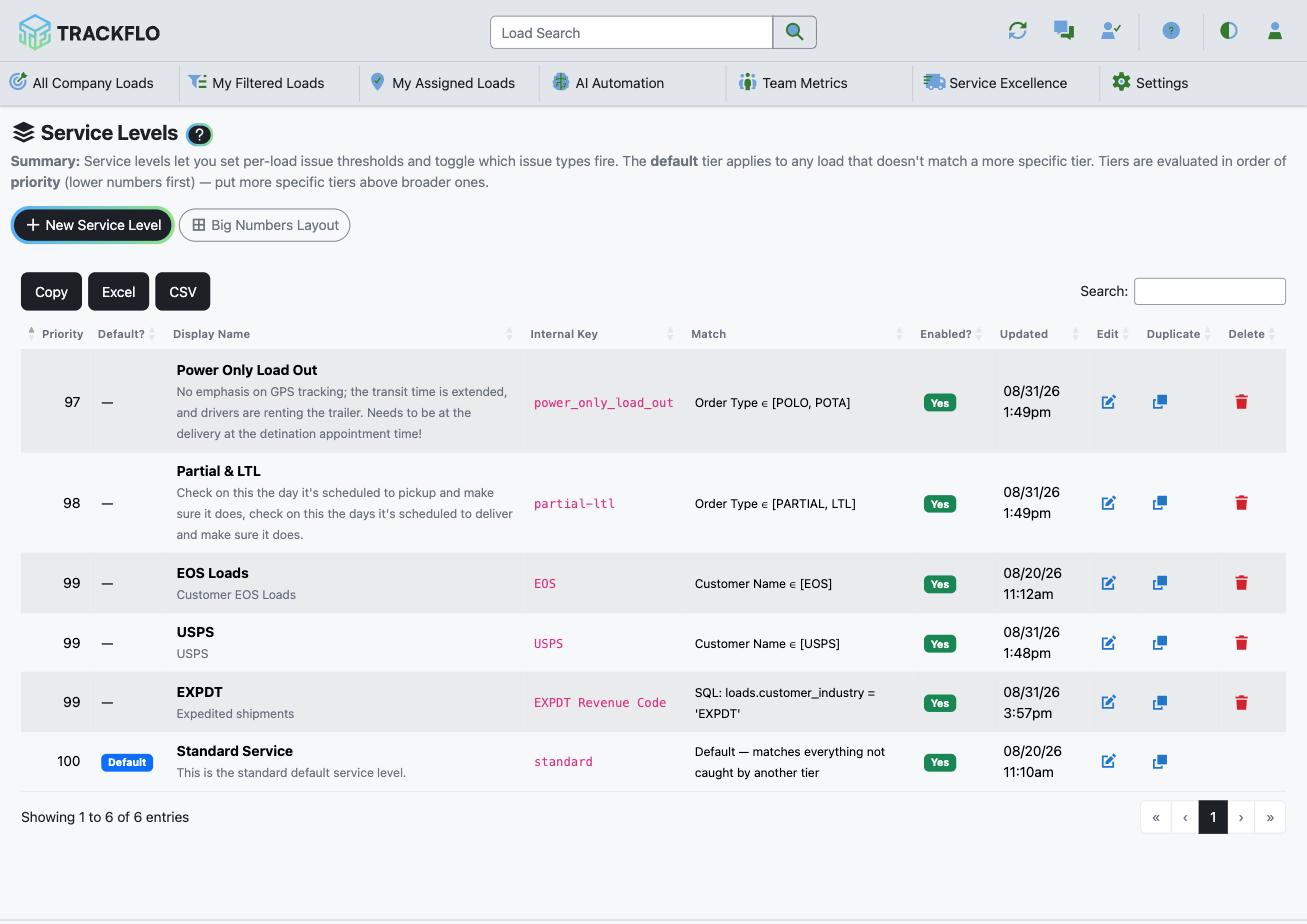
The thresholds for late, ETA drift, detention risk, and stationary time live on the service level, and a Drop Trailer load shouldn't flag the way a Reefer load does. Start with 6 to 8 exceptions your team can clear every day, and add more once the board is under control.
3
Work Action Needed, not the load list
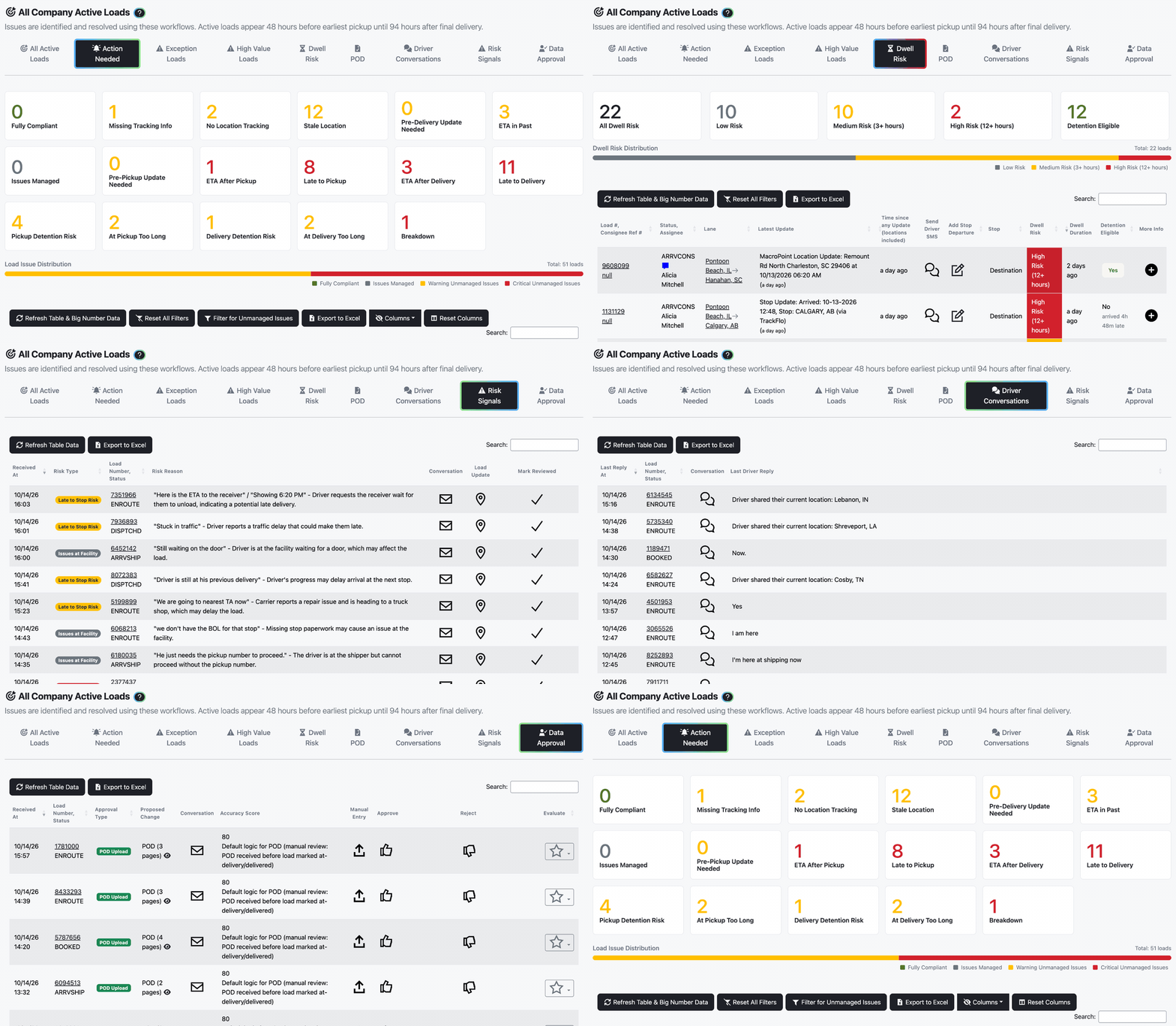
Trackers work the Action Needed tab on Active Loads, where each load shows its one Top Current Issue. Triage turns that tab into a queue for teams who want to work it to zero.
4
Park what's handled with Manage Issue
A load you've dealt with but can't close leaves the board until a time you set, so it stops competing for attention.
5
Alert the people who aren't watching
Set up Exception Alerts under Service Excellence to route Late to Delivery to the customer team and Detention Risk to accessorials, by email, the moment they appear.
Automation never changes a load's status in your TMS on its own. Extracted replies wait on the Data Approval board until a person approves them or you raise an auto-approval threshold for that kind of data.
When it doesn't go to plan
The whole board is red
Trackers don't trust the replies
Too many rules went on at once, so nobody can tell which rule produced which reply. Pause back to one rule and add the rest a week apart.
A noisy carrier makes the board hard to read
Don't hide them with Tracking Board Exclusions. A carrier generating constant exceptions is a real signal, and excluding them hides their service problems while those problems still reach your customers.
New trackers still read the board top to bottom
Set the expectation on day one: open Action Needed, work the top issue, manage what's handled.
Measure it
The Fully Compliant Count on Current Team Performance rises: more loads tracking clean with no open exception.
The Action Needed count at shift start falls week over week.
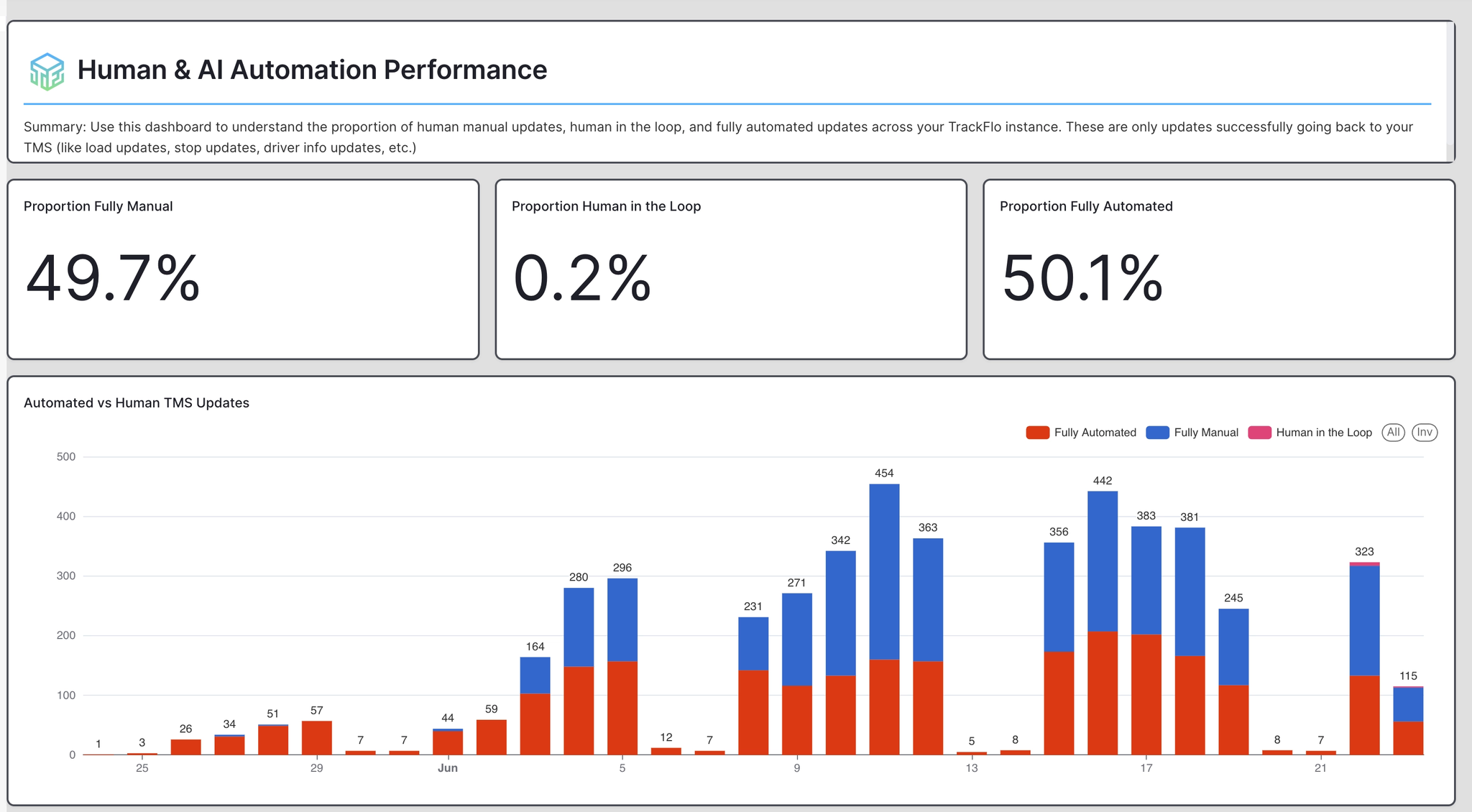
Outreach Rule Metrics shows sends by rule, and the Human & AI Automation Performance dashboard shows the share of updates that came from automation rather than a person.
Trackers' Actual Update Count per hour on their shift scorecards holds steady while their load count grows.
Related recipes
Get Every Load on Tracking Before Pickup
Ask the carrier for tracking details and text the driver before pickup, automatically.
Read recipeHandle More Loads per Tracker Without Hiring
The order of operations that grows load count faster than headcount.
Read recipeProduct docs
Customers can sign in to open the full guides:
Was this helpful?
Was this helpful?