

The load count went up before steps 1 to 3 were done. More loads on a board nobody has tuned produce more red, not more capacity.
Handle More Loads per Tracker Without Hiring
Updated today
Grow the load count without growing the tracking team at the same rate by removing work in a fixed order: scanning, routine updates, retyping, then manual assignment. Teams put numbers on the goal, from "30 to 40 percent more time per tracker" to "two times the loads per tracker, conservatively." Before automation, a tracker's day splits across finding out which loads need attention, chasing updates on loads that are fine, retyping what carriers said into the TMS, and handling the loads actually at risk. Only the last one needs a person.
What you need
An Admin to configure service levels, outreach rules, auto-approval, and schedules.
A two-way TMS integration, for step 3.
A few weeks: each step needs a week or two to show in the numbers before the next.
Set it up
1
Stop scanning, start working exceptions
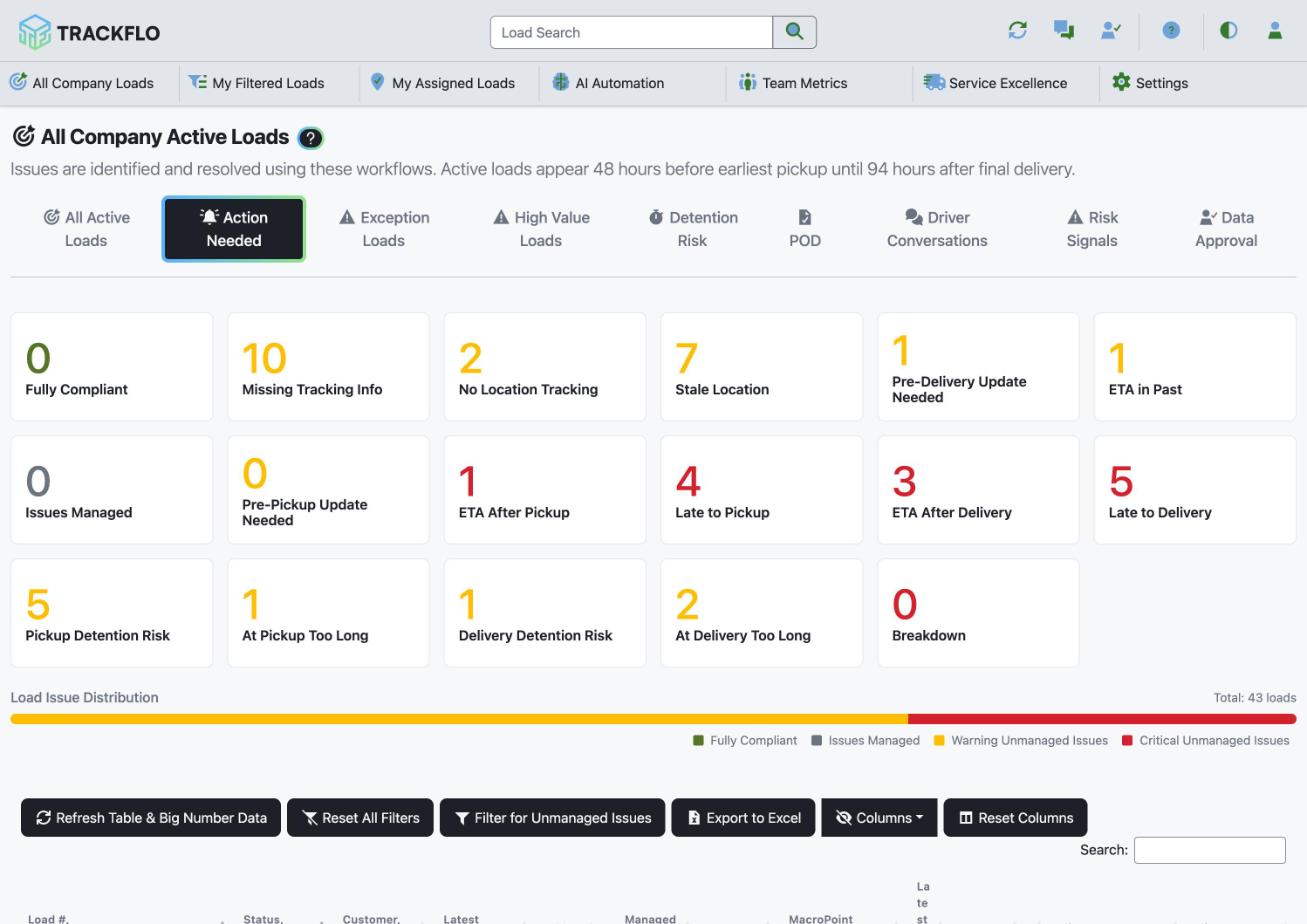
Tune service levels so the board flags only loads that crossed a threshold, and have trackers open Action Needed instead of a load list. That ends the first hour of every shift spent finding out what's wrong. Watch the Fully Compliant tile: those loads cost zero minutes.
2
Let automation collect the routine updates
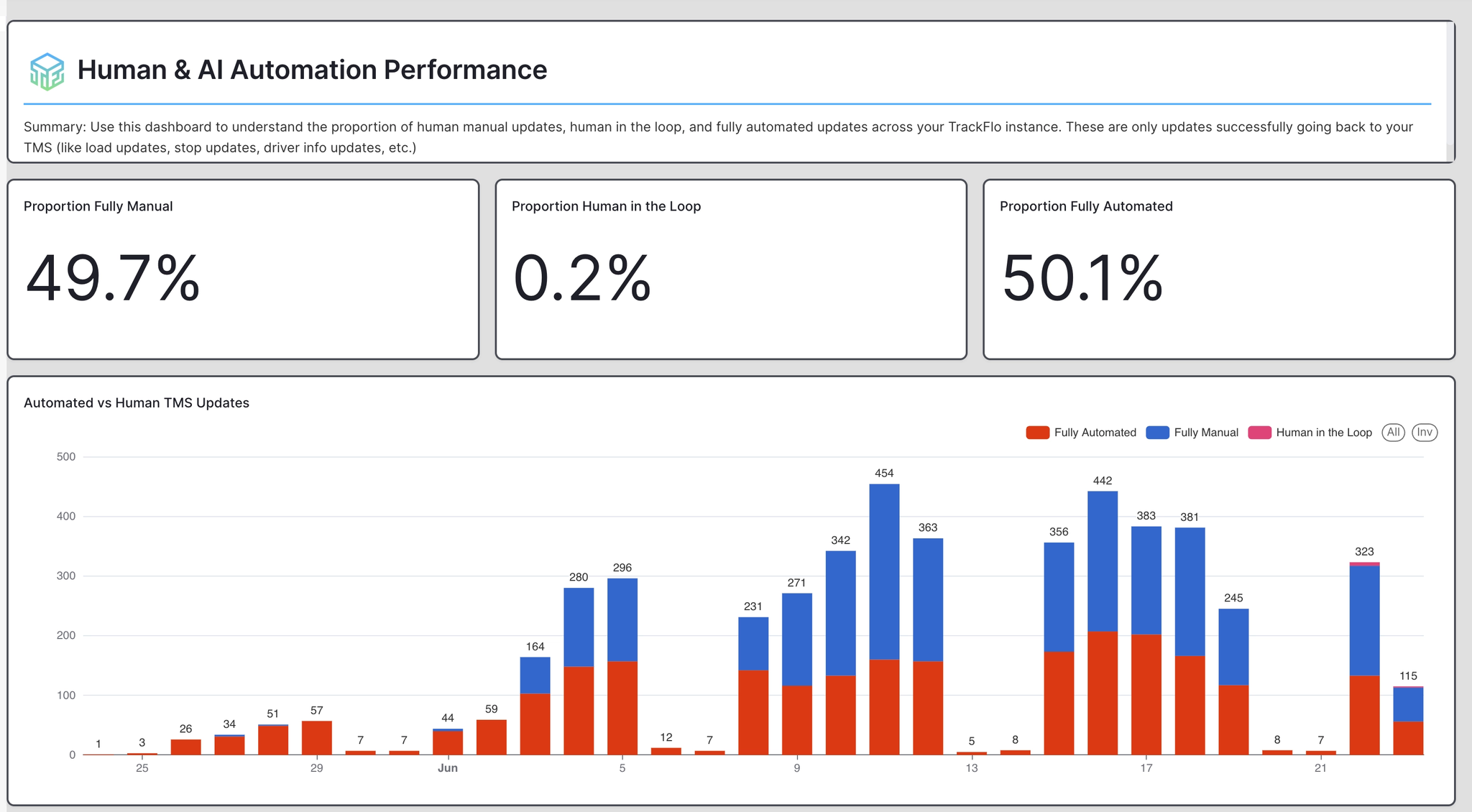
Most check calls confirm nothing is wrong. Outreach rules make them for you: Collect Tracking Info before pickup (email), Pre-Pickup Update and Stale Location Check (SMS, then AI voice, then email), and Get POD after delivery (SMS, then email). Each stops when it gets an answer. Start with one rule and add the next once the team trusts the replies. Watch sends per rule, then the share of updates from automation on the Human & AI Automation Performance dashboard.
3
Stop retyping
Carrier emails and driver replies become proposed updates on the Data Approval board. Once the audit shows the AI getting a kind of update right, raise that cell's auto-approval threshold and those updates post to your TMS with nobody touching them. Watch auto-approved rows per day in the Data Approval Audit.
4
Give every load one owner, automatically
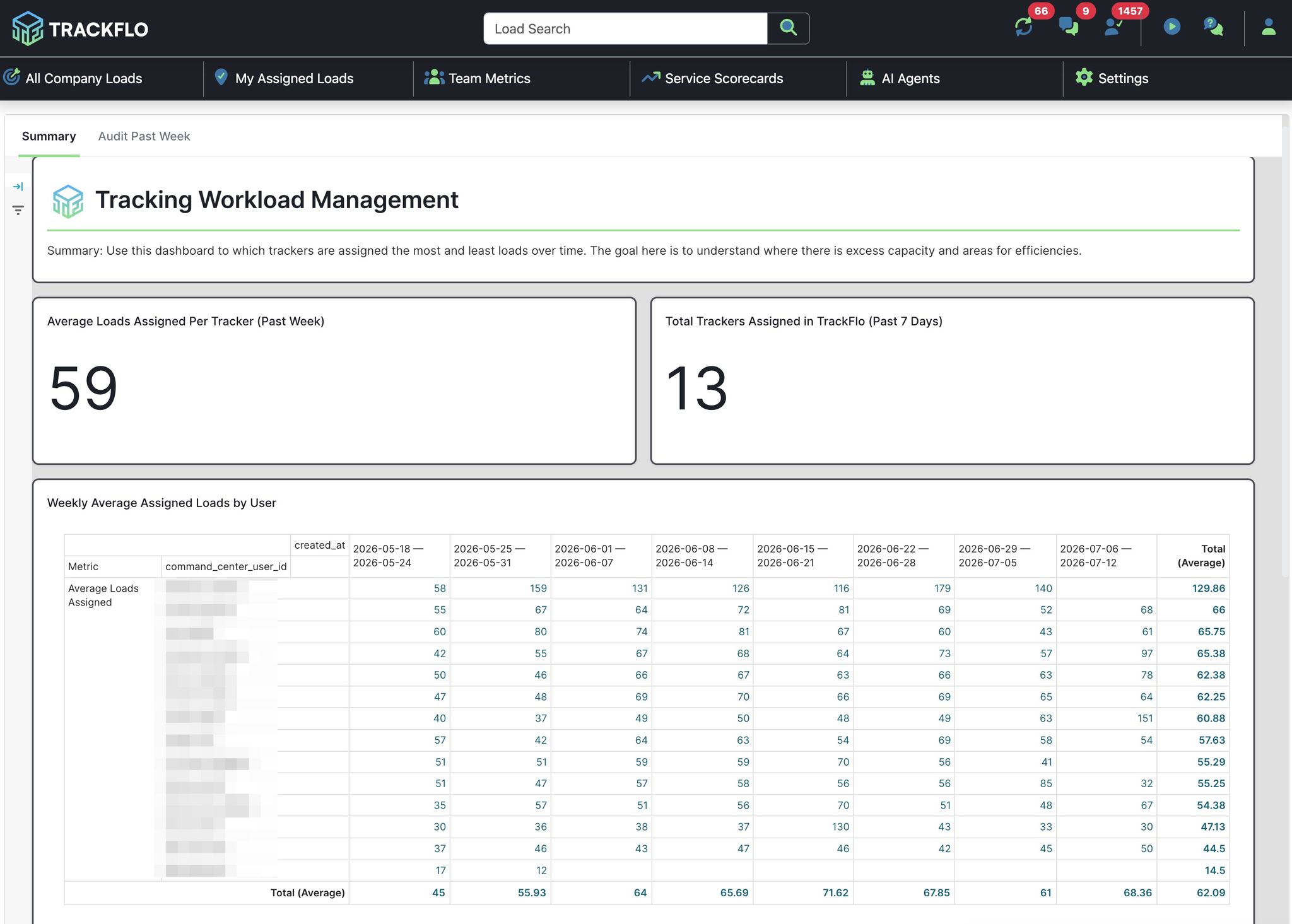
Manual reassignment is a hidden tax; one team told us a lead was redistributing loads every 30 minutes. Assignment Schedules put each tracker on a shift, the engine assigns and rebalances every two minutes, and two trackers never work the same load. Watch Assignment Metrics for an even spread and no unassigned pile.
5
Measure, then raise the load count
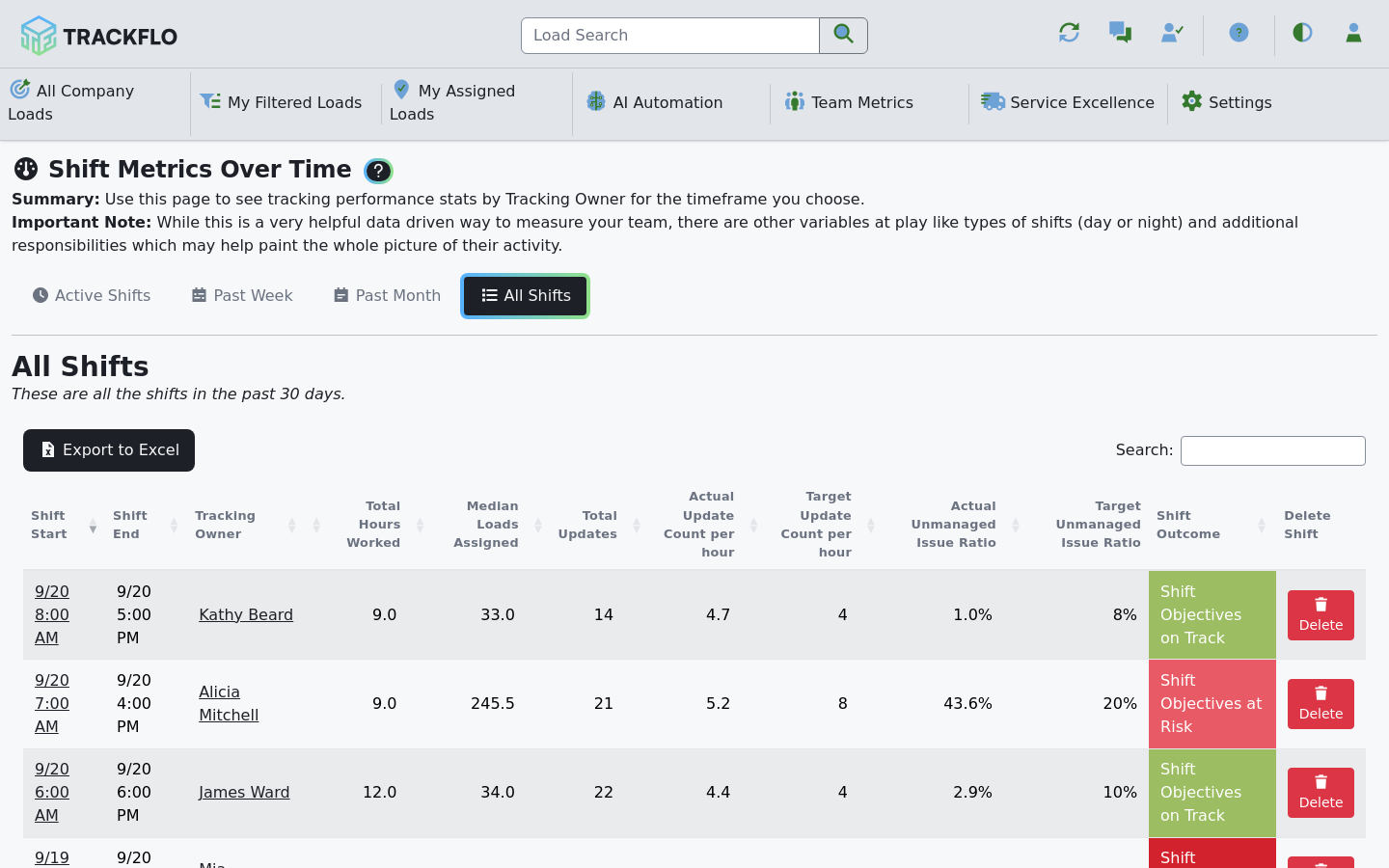
Turn on Shift Objectives and watch Actual Update Count per hour against loads assigned. When trackers hold their update rate while their load count climbs, you have capacity; when the update rate falls first, you've found the ceiling.
When it doesn't go to plan
More loads just made the board redder
The capacity gain doesn't show in the numbers
Trackers are still updating in the TMS out of habit. Work done there is invisible to TrackFlo, so the gain never reaches the scorecards even when it's real.
Trackers stopped trusting the board
Every outreach rule went on at once, so nobody can tell which rule produced which reply. Go back to one rule and add the rest a week apart.
Measure it
Median loads assigned per tracker rises week over week while Actual Update Count per hour holds and the unmanaged issue ratio stays under target.
The share of updates from automation grows on the Human & AI dashboard.
Nobody redistributes loads by hand, and the Action Needed count at shift start is a number a tracker can clear.
Related recipes
Work Exceptions Instead of Making Check Calls
Let automation collect routine updates so the team works only the loads at risk.
Read recipeStop Retyping Carrier Emails into Your TMS
Carrier replies become approved TMS updates without anyone typing them.
Read recipeHand Off Loads Automatically at Shift Change
Schedules move loads to whoever is on shift, every two minutes.
Read recipeProduct docs
Customers can sign in to open the full guides:
Was this helpful?
Was this helpful?