

No schedule was active at that moment, so the engine unassigned every load. Check for gaps between shifts, including weekends.
Hand Off Loads Automatically at Shift Change
Updated today
Put every tracker on a schedule and TrackFlo moves loads to whoever is on shift, every two minutes, so nobody redistributes loads by hand at the handoff. Teams describe "a couple handoff scenarios" and "the 4 to 7 a.m. hour where it kind of transitions" as the moments loads get dropped; one lead was moving loads by hand every 30 minutes. With schedules, the incoming shift opens My Loads and their loads are already there.
What you need
The Admin role.
Each tracker's working days and hours, in your company's timezone.
If trackers own specific customers or a pickup versus delivery split: the field and values that identify those loads on the board.
Set it up
1
Turn on schedule-based assignment
In Settings > Company Settings, set Assignment Mode to Schedule-Based. With Manual, schedules are saved but nothing is assigned.
2
Add a filter for owned work (optional)
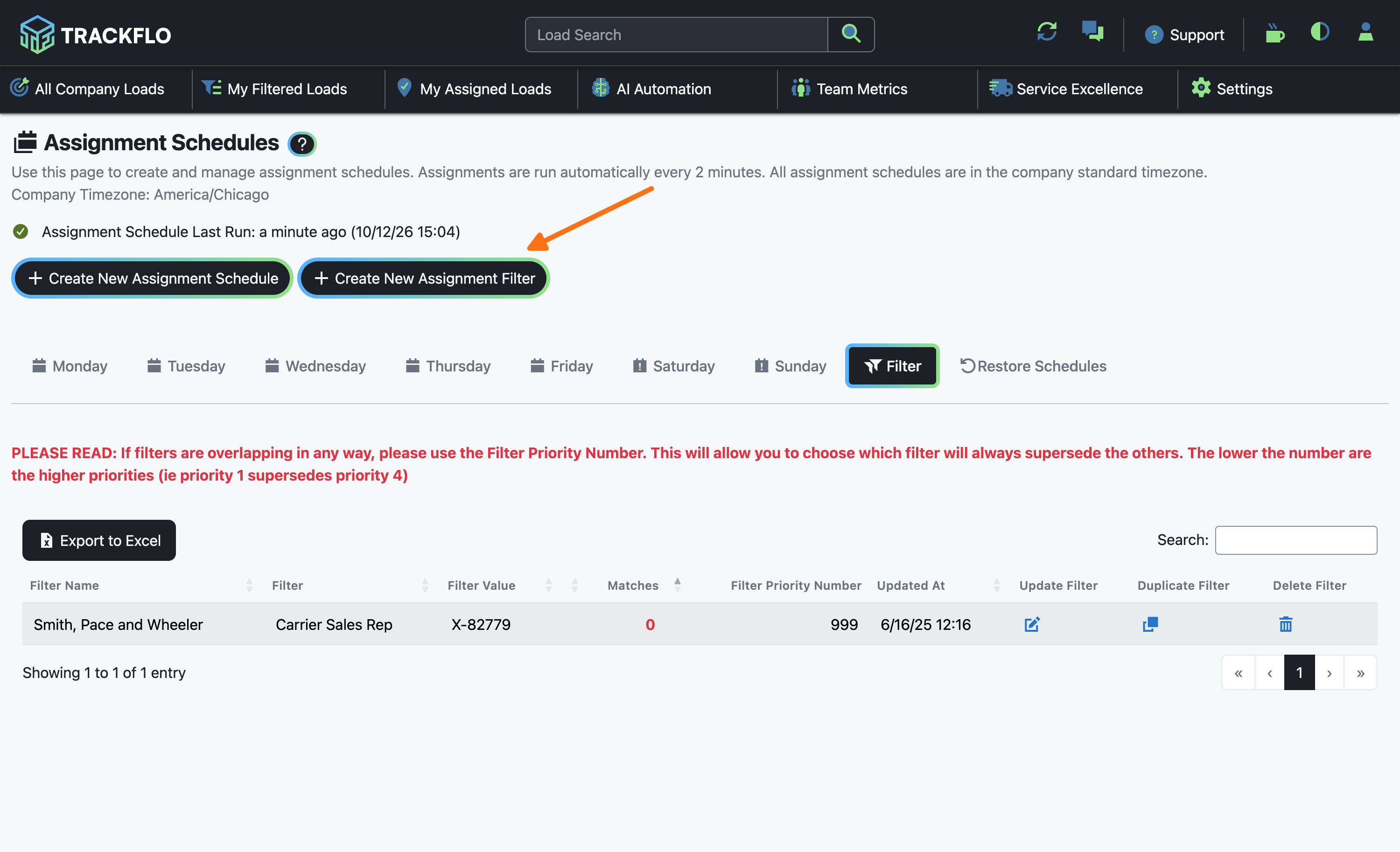
On Settings > Assignment Schedules, select Create New Assignment Filter. Name it, choose the Filter Field, and enter the values separated by two semicolons, such as Acme Foods;; Acme Produce. A lower priority number claims loads first, so a load matched by a higher-priority filter isn't offered to the ones below it.
3
Create a schedule for each tracker
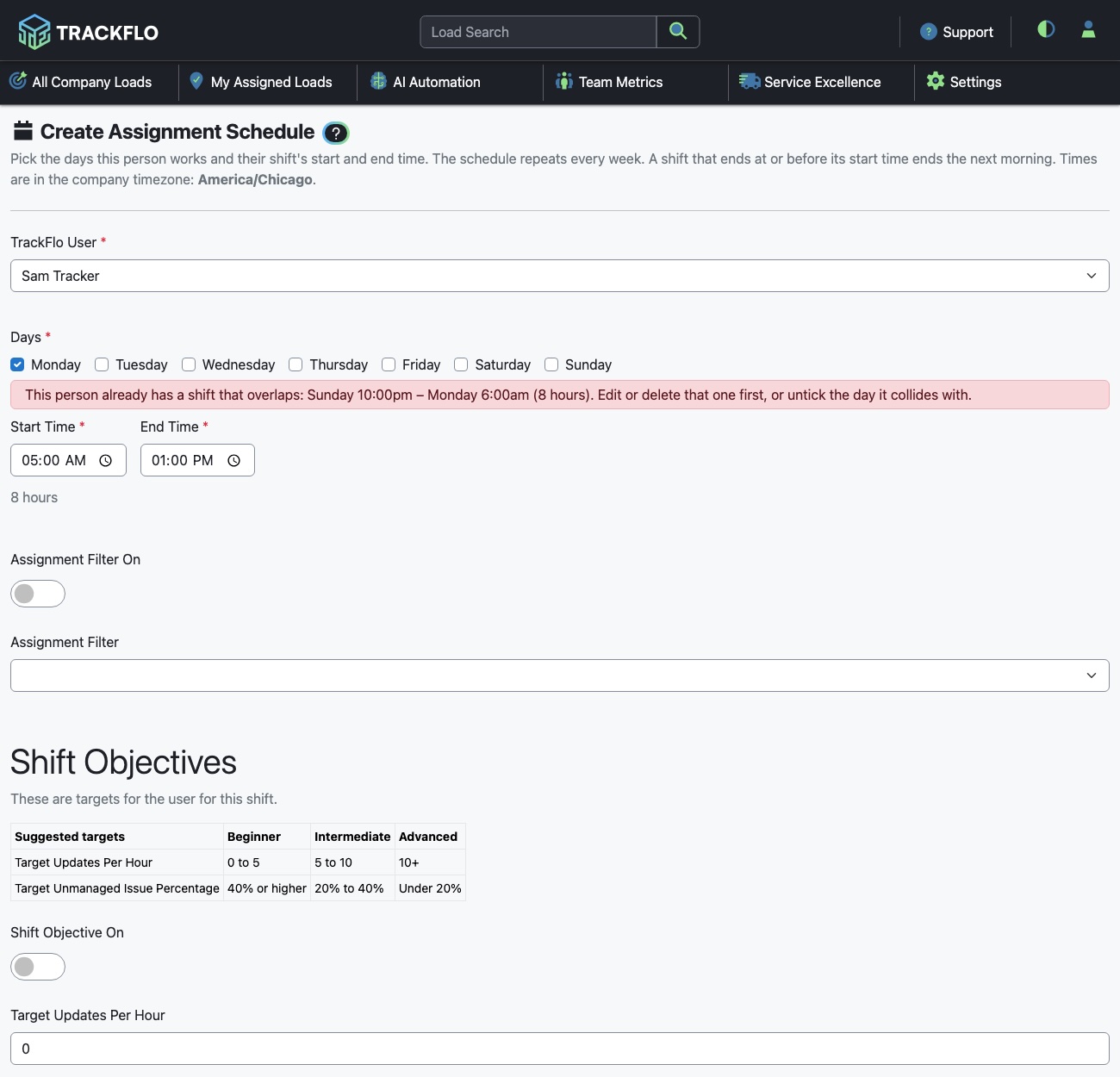
Select Create New Assignment Schedule, choose the TrackFlo User, tick their Days, and set Start Time and End Time. An end time before the start time runs into the next day, and a shift can be up to 16 hours. Turn on Assignment Filter On and pick a filter when the tracker owns specific work; leave it off for the general pool. Select Create Assignment Schedule.
4
Score the shift (optional)
Turn on Shift Objective On and set Target Updates Per Hour and Target Unmanaged Issue Percentage. Each shift then gets a scorecard marked Met or not Met when it closes.
Within a pool, a carrier's loads stay with the tracker who already holds the most of them, and loads rebalance when one tracker is more than four loads ahead of another. For orders split into several legs, we can keep every leg with one tracker; ask us to turn it on.
When it doesn't go to plan
Every load went unassigned
A filter matches zero loads
The Matches column on the Filter tab shows 0 in red. The values are usually separated with a comma or a single semicolon, which makes them one long value. Separate them with ;;. If it reads "field not on board", the filter's field isn't on your board.
Loads that match nobody's filter sit unassigned
When everyone on shift is on a filter, loads no filter matches have nowhere to go. Keep at least one tracker per shift on the general pool.
A load I reassigned by hand moved back
The engine reassigns on its next run, two minutes later. Change the schedule or the filter instead of the load.
The schedule won't save
The tracker already has a shift on the same filter that overlaps this one, or the shift is longer than 16 hours.
Measure it
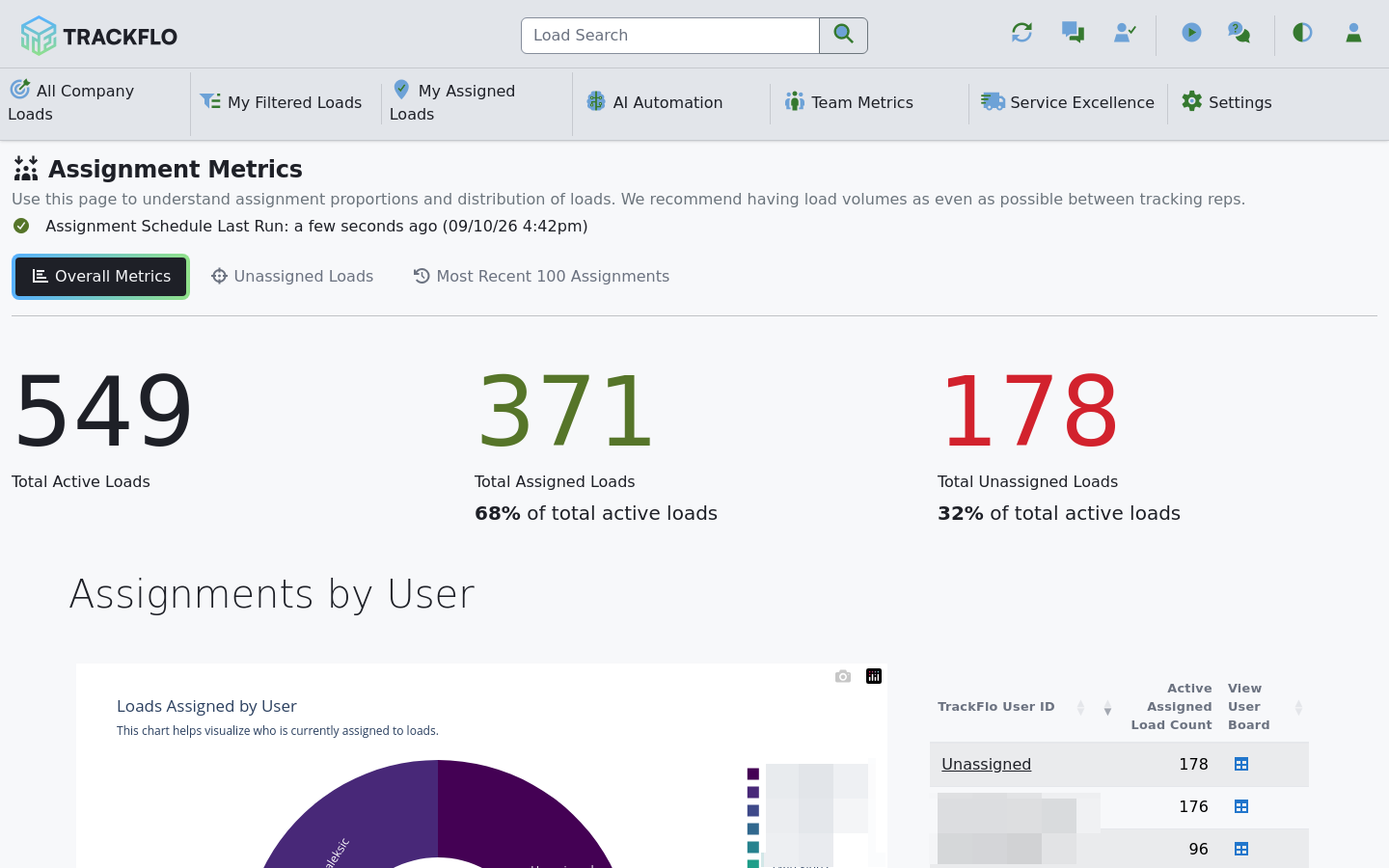
The Last Run indicator on Assignment Schedules shows a run within the last few minutes; it turns red after an hour without one.
Assignment Metrics shows total unassigned loads near zero during staffed hours, an even spread by user, and the most recent 100 assignments.
Nobody moves loads by hand, and the incoming shift's Action Needed count is theirs from the first minute.
Related recipes
Cover Lunch Breaks Without Dropping Loads
A coworker sees your loads until you're back, with nothing reassigned.
Read recipeHold the Tracking Team Accountable with Real KPIs
Schedules that own the work, objectives that score it, and a five-minute weekly review.
Read recipeProduct docs
Customers can sign in to open the full setup guides:
Was this helpful?
Was this helpful?