

The Company Timezone is empty or isn't a timezone name. Abbreviations such as CST aren't accepted. Enter a name such as America/New_York in General Settings, then save the periods again.
Run a Lean Night Shift Without Missing What Matters
Updated today
Cover evenings, overnights, and weekends with a smaller crew: switch off the exceptions that can wait until morning, keep outreach chasing drivers around the clock, and give the night crew its own schedule. Teams tell us "we fall behind overnight and evenings" and "after hours is a big struggle and then surges." With this recipe the night crew works only what matters at night, and the morning shift starts on today's freight instead of last night's backlog.
What you need
The Admin role.
A Company Timezone entered as a timezone name, such as
America/Chicago, in General Settings. Operating hours switch on this clock for the whole company.Your tracking service levels set up for the day shift. Night settings start from them.
For the night schedule: Assignment Mode set to Schedule-Based in Company Settings.
Set it up
1
Set your operating hours
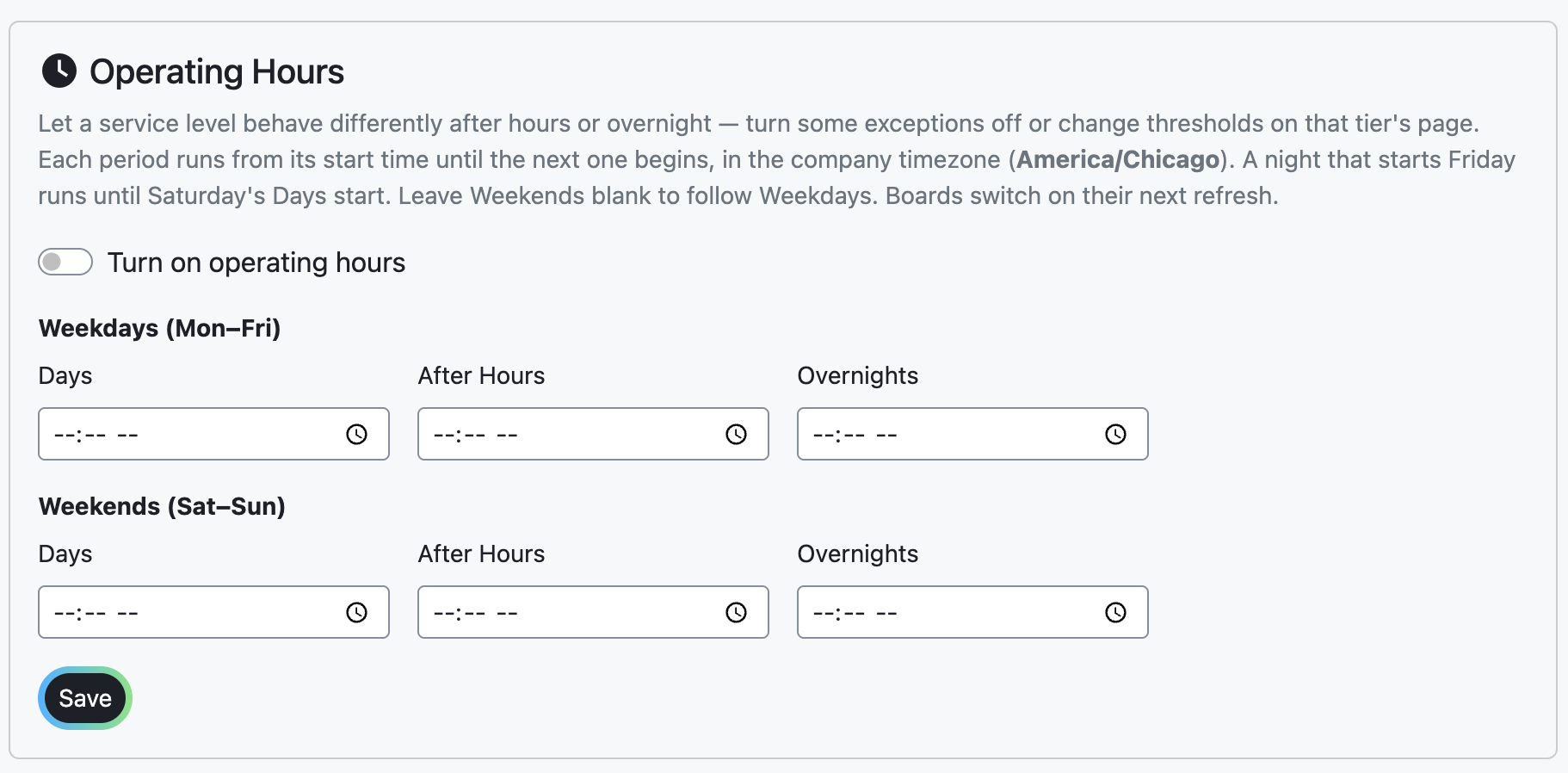
Open Service Levels, select the Operating Hours tab, and switch on Turn on operating hours. Under Weekdays (Mon–Fri), enter a Days start time and a start time for After Hours, Overnights, or both. Each period runs until the next one starts. Leave the weekend fields blank to follow the weekday times, or start weekend nights earlier for lighter weekend coverage. Select Save; a Right now: badge shows the running period.
2
Decide what the night crew works
On each service level, select Edit, open the After Hours or Overnights tab, and switch off the exceptions that can wait until morning. Change a threshold only where nights need a different one; a blank threshold keeps the Days value. A common setup switches off Missing Tracking Info overnight and shortens Location Needed Before Delivery, so only loads close to their appointment flag.

3
Put the night crew on a schedule
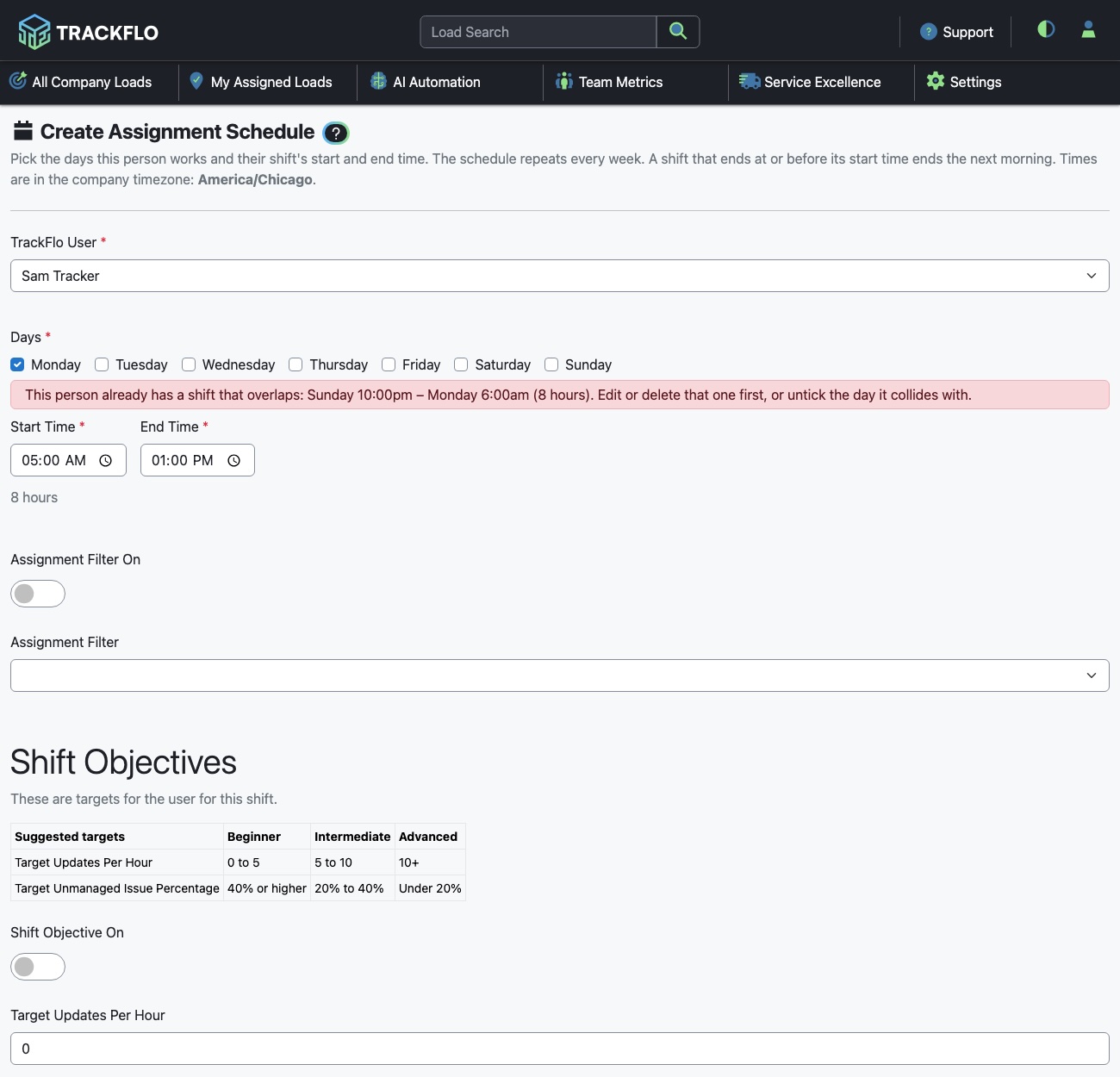
Give each night tracker an Assignment Schedule that covers their hours. A shift whose end time is before its start time runs into the next day. The assignment engine runs every two minutes, so loads move to whoever is on shift without a lead redistributing them at the handoff.
4
Let outreach keep working, inside quiet hours
Outreach rules keep texting, emailing, and calling through the night, which is what keeps tracking coming in while the crew is small. Set quiet hours on each rule so drivers aren't contacted while they sleep. Quiet hours follow the stop's local time, not the company clock.
When it doesn't go to plan
Operating hours won't save
Drivers are still getting texts at night
Operating hours change which exceptions fire; they don't pause outreach. Set quiet hours on the outreach rule.
A load I managed came back on the board at the switch
Exceptions are recalculated when the period changes. A managed load stays managed only while its top issue is the one you managed, so a switch that changes its top issue puts it back on the board.
The board didn't change at the start time
Boards pick up the new period on their next refresh, which follows your Workflow Sync Frequency (15 seconds to 5 minutes). With sync set to Off, a board switches only when someone refreshes it.
Loads went unassigned overnight
When no schedule is active, the engine unassigns every load. Check that a night schedule covers every hour, including the handoff minutes on either side.
Measure it
The Action Needed count when the Days period starts falls week over week: the morning shift inherits less.
Night shift scorecards hold their targets. Compare night shifts with other night shifts, because a shift with exceptions switched off has fewer issues to miss than a day shift.
Outreach sends keep coming in overnight on the rule cards, with replies landing as load updates before the morning crew arrives.
Related recipes
Hand Off Loads Automatically at Shift Change
Schedules move loads to whoever is on shift, every two minutes.
Read recipeWork Exceptions Instead of Making Check Calls
Let automation collect routine updates so the team works only the loads at risk.
Read recipeProduct docs
Customers can sign in to open the full setup guides:
Was this helpful?
Was this helpful?